AB
Route List Page Options (cont.)
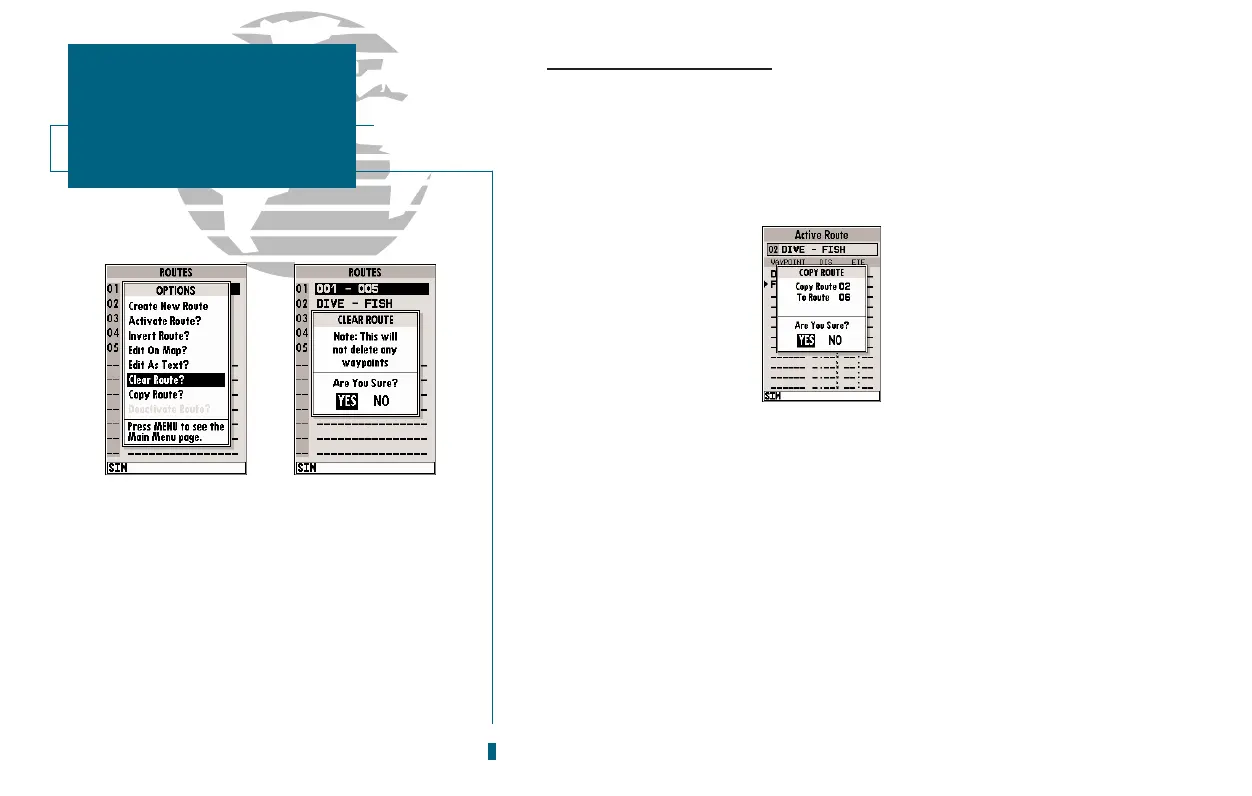
Clear Route? allows you to clear all waypoints from the selected route.
To clear the selected route:
1. Highlight the Clear Route? option and press
T
.
2. Press
T
to confirm the clear route warning.
Copy Route? allows you to copy the waypoints of a selected route to another
route. The route copy function can be used to copy a TracBack route (route 00) to
another route in order to either prevent losing the route the next time a TracBack
route is
activated, or save a modified version of an existing route without losing the
original.
To copy a route:
1. Highlight the Copy Route? option and press
T
. The selected route
will appear as the copy from route, and the first open storage route will
appear as the copy to route.
2. Press
T
to confirm. (If youd like to change the route number that is
being copied or the open route which is being copied to, highlight the
appropriate field and press
T
; select the new route number and
press
T
.
Deactivate Route? stops navigation of the route you are currently navigating.
52
A. To delete all waypoints from a selected route,
highlight the Clear Route? option and press
EDIT/ENTER.
B. Once a route is cleared, all waypoints are
removed from the route. They are still stored
in memory, however.
SECTION
8
ROUTES
Route List Options














 To Next Page