GPSMAP 4000 Series Owner’s Manual 9
Using Charts
USinG
ChartS
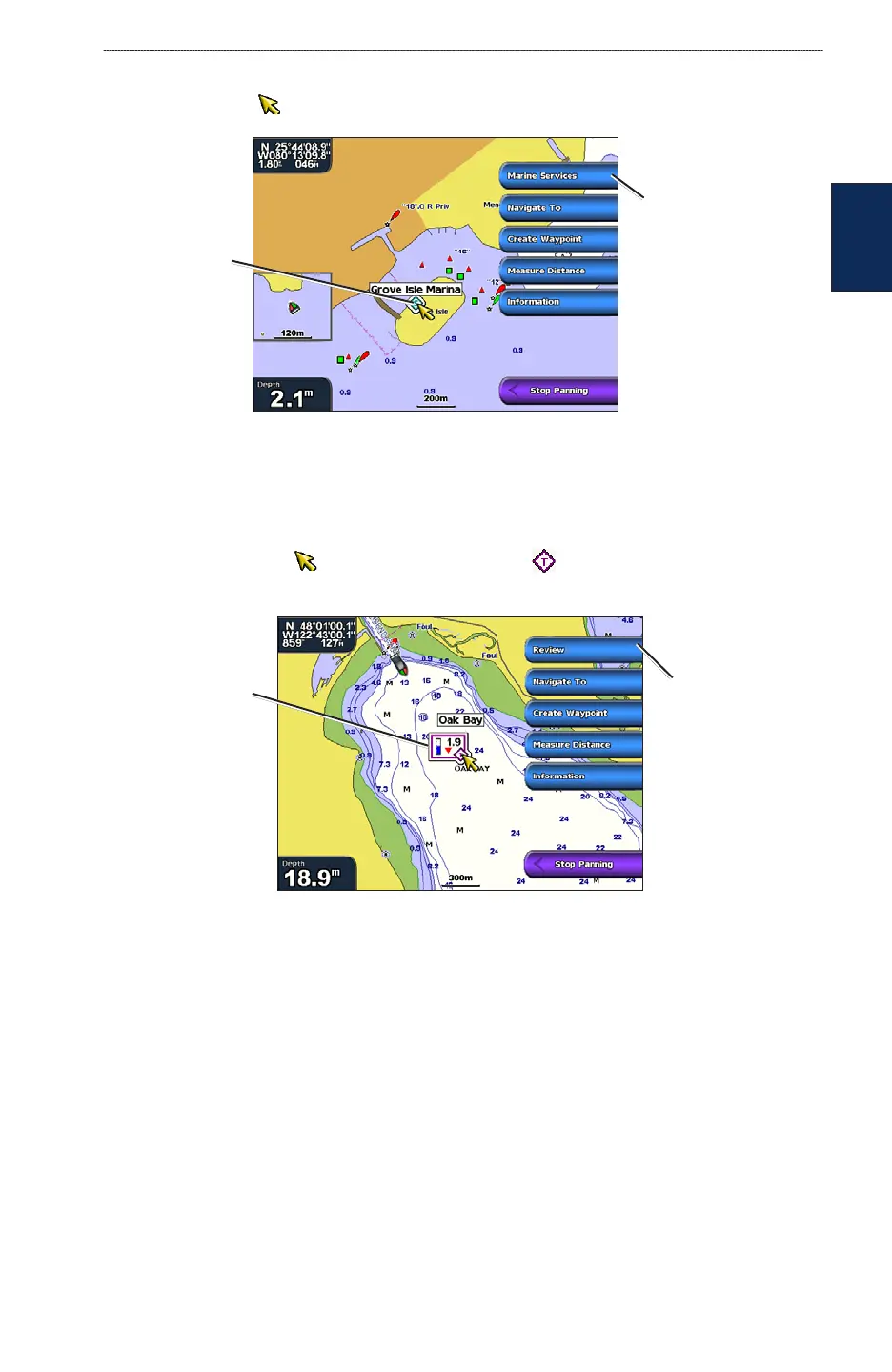
Accessing Additional Object Information
Use the map pointer ( ) to view information about on-screen map items, waypoints, and charts.
Selected
item
Additional item
information
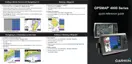
Viewing Tide-Station Information
Tide-station information appears on the chart with a detailed icon showing the relevant tide level.
You can view a detailed graph for a tide station to help predict the tide level at different times or
different days. See page 29 for instructions on viewing tide station information.
1. Using the map pointer ( ), highlight a tide station icon ( ).
2. Select Review to view a detailed tide graph.
Relevant tide
level
Detailed
tide station
information
Changing the Navigation Chart Settings
From the Home screen, select Charts > Navigation Chart > Menu > Chart Setup.
Photos—sets the high-resolution satellite images to Off, Land Only, or Photo Map. High-
resolution satellite imagery is available only while using a BlueChart g2 Vision SD card (page 18).
Tides/Currents—turns the display of tides and currents on or off.
Service Points—turns the display of marine service points on or off.
Roses—displays a compass rose around your boat, indicating compass direction. True wind
direction or apparent wind direction can be displayed if the chartplotter is connected to a compatible
marine wind sensor.













 To Next Page