GPSMAP 4000 Series Owner’s Manual 41
Conguring the Device
ConfiGUrinG
the deViCe
Conguring XM Audio
NOTE: You must connect optional Garmin XM equipment (such as a GDL 30A XM receiver) to the
Garmin Marine Network, and have a subscription to XM Radio to use XM audio features. For more
information, see page 58.
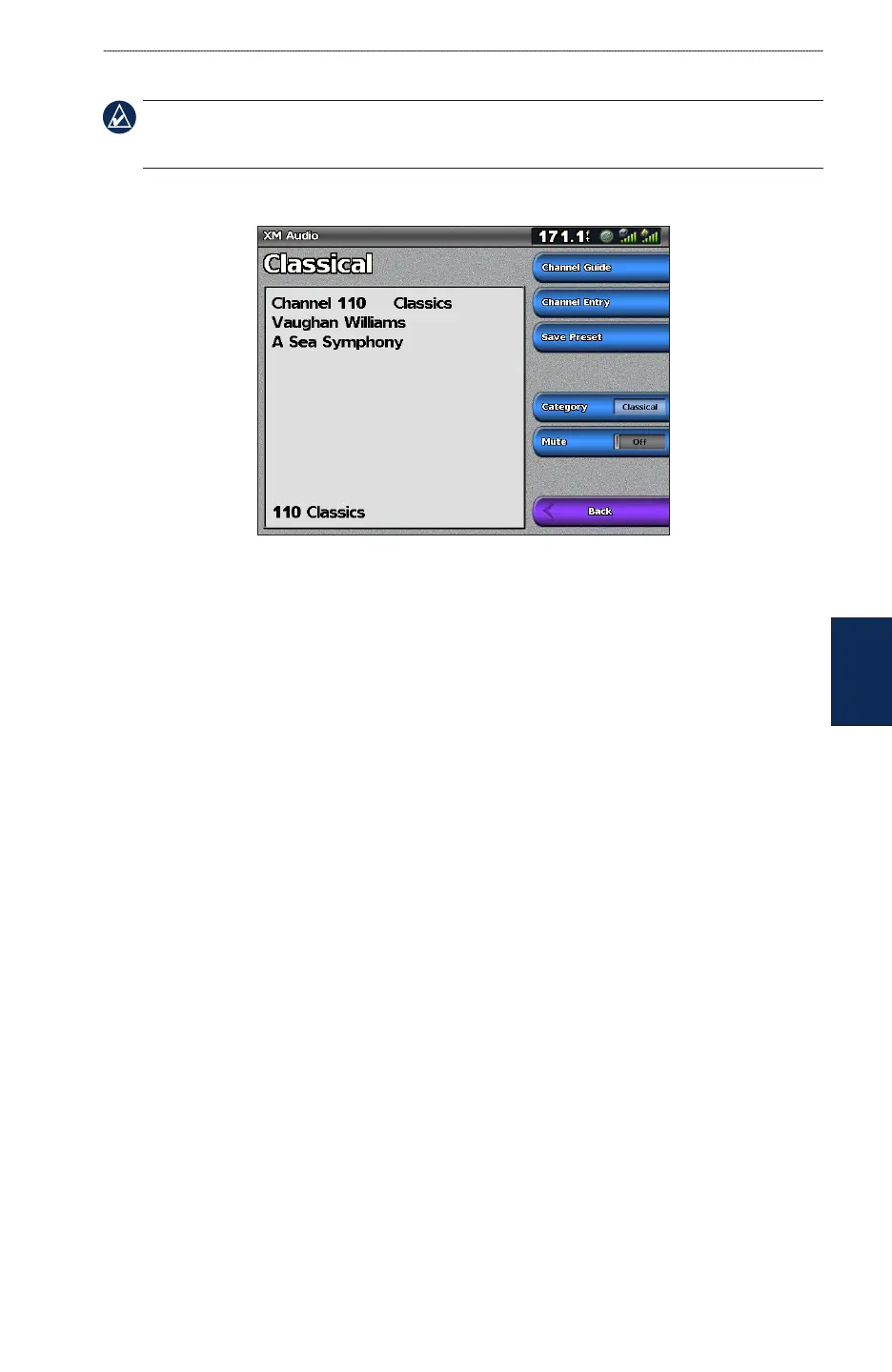
From the Home screen, select Congure > XM Audio.
Channel Guide—selects the specic XM channel within the currently selected category.
Channel Entry—allows you to enter a channel using the Rocker.
Save Preset—saves the current XM channel in the Presets list. Select Delete Preset to remove the
current channel from the list. Presets are displayed as a category in the category list.
Category—selects the category of channels that are displayed in the Channel Guide.
Mute—silences the audio.













 To Next Page