GPSMAP 76Cx Owner’s Manual 45
MAIN PAGES > MAP PAGE
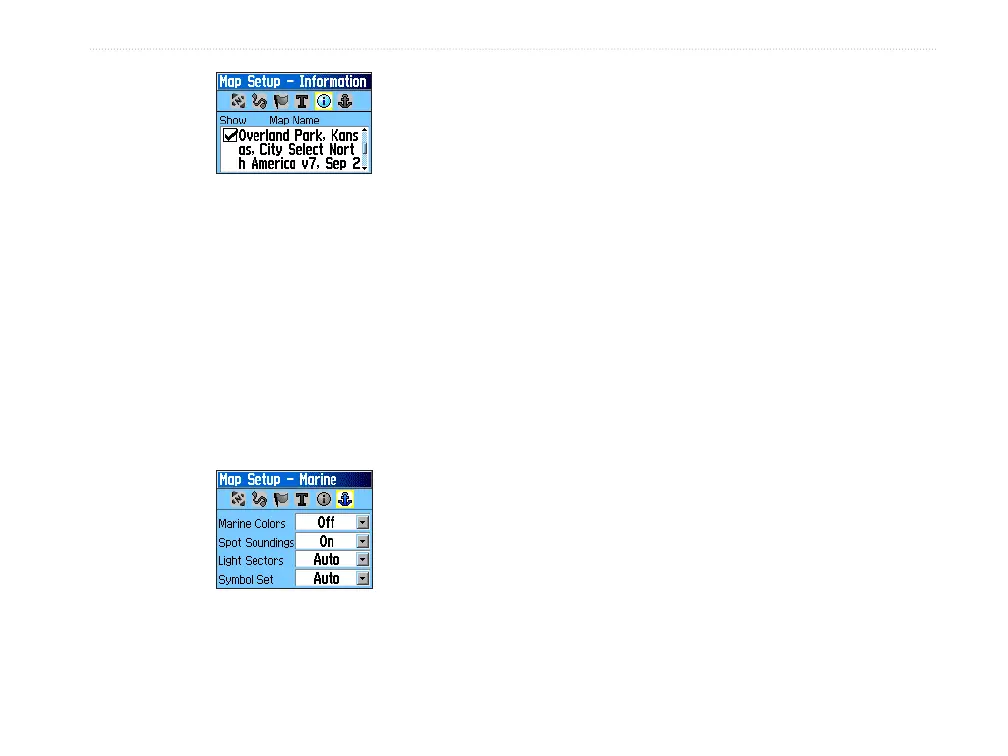
Map Setup – Information Page
Press MENU to view the list of options for showing
maps.
Map Setup—Marine Page
Use the Map Setup—Marine Page to customize
settings for marine colors, spot soundings, light
sectors, and symbol sets when using downloaded
marine charts MapSource BlueChart marine mapping
data.
Map Setup – Marine Page
Marine Colors—toggles marine colors on or off on
the Map Page.
Spot Soundings—toggles spot soundings on or off on
the Map Page.
Light Sectors—controls the display of lighted
navigation aids.
Symbol Set—select the symbol set to use (Auto,
GARMIN, NOAA, International).













 To Next Page