52 GPSMAP 76Cx Owner’s Manual
MAIN PAGES > TRIP COMPUTER PAGE
To change data fields:
1. Press MENU to open the Compass Page
Options menu.
2. Highlight Change Data Fields, and press
ENTER. The first data field is highlighted.
3. Press ENTER to select from a list of types of
navigation data to appear in that field.
4. Use the ROCKER to highlight the option you
want, and press ENTER.
5. After entering your selection and entry, use the
ROCKER to move to the next field and repeat
the process.
6. Repeat Steps 3 and 4 to change remaining
data fields.
To restore data fields to default settings:
1. Press MENU to open the Compass Page
Options Menu.
2. Highlight Restore Defaults, and press ENTER
to return the page to factory settings.
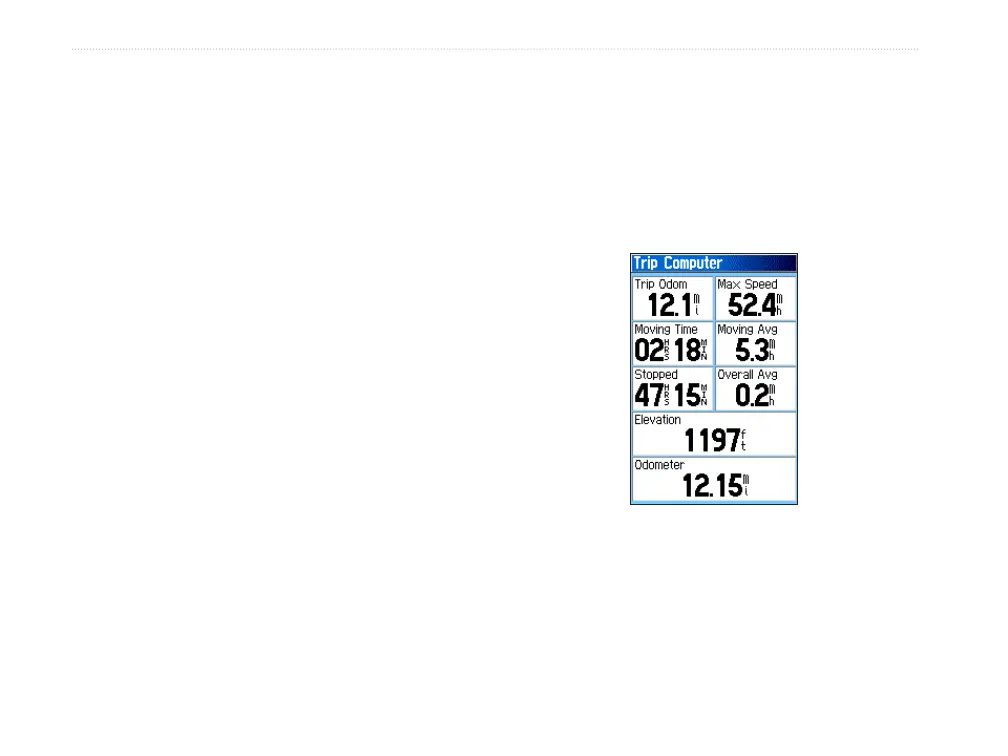
Trip Computer Page
The Trip Computer Page provides you with a wide
variety of travel data useful when navigating a long
distance. It indicates your current speed, average
speed, trip odometer, and many other helpful statistics
useful for navigation.
Trip Computer Page













 To Next Page