CHAPTER 3: Setting Up and Getting Started
12
www.gateway.com
Working safely
Before using your computer, read the following
recommendations for setting up a safe and
comfortable work area and avoiding discomfort
and strain.
Reducing eye strain
Sunlight or bright indoor lighting should not
reflect on the monitor screen or shine directly
into your eyes.
■ Position the computer desk and monitor so
you can avoid glare on your screen and
light shining directly into your eyes.
Reduce glare by installing shades or
curtains on windows, and by installing a
glare screen filter on your monitor.
■ Use soft, indirect lighting in your work area.
Do not use your computer in a dark room.
■ Avoid focusing your eyes on your
computer screen for long periods of time.
Look away from your computer
occasionally, and try to focus on distant
objects.
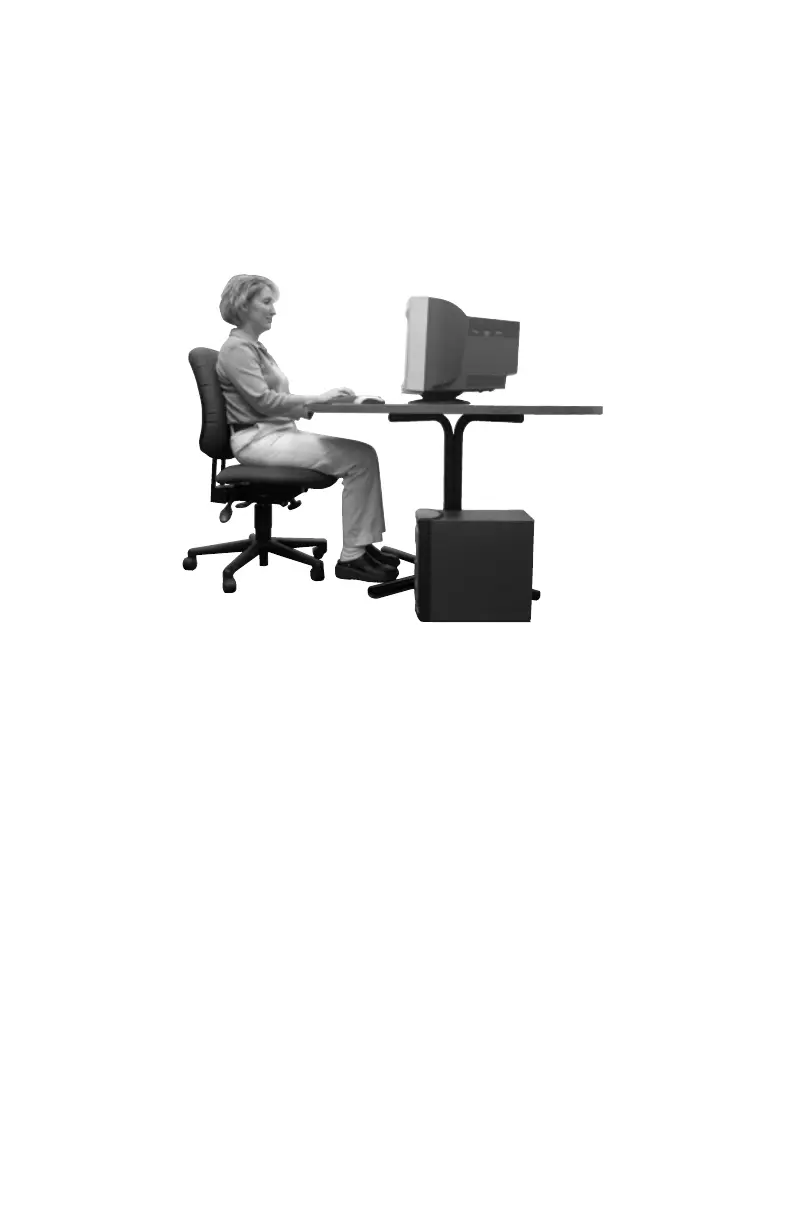
Top of screen is not
higher than eye level
Feet are flat on the floor
Hands and arms
are parallel to the
floor
Screen is perpendicular
to your line of sight
8511781.book Page 12 Tuesday, October 10, 2006 4:41 PM



 To Next Page