Using the keyboard
17
To restart your computer:
Important
If your computer does
not turn off, press and
hold the power button
for about five seconds,
then release it.
1 Click Start, then click Shut Down.
2 Click the arrow to open the What do you
want the computer to do? list, click
Restart, then click OK.
As a part of the regular startup process, a
program to check the disk status runs
automatically. When the checks are
finished, Windows starts.
Using the keyboard
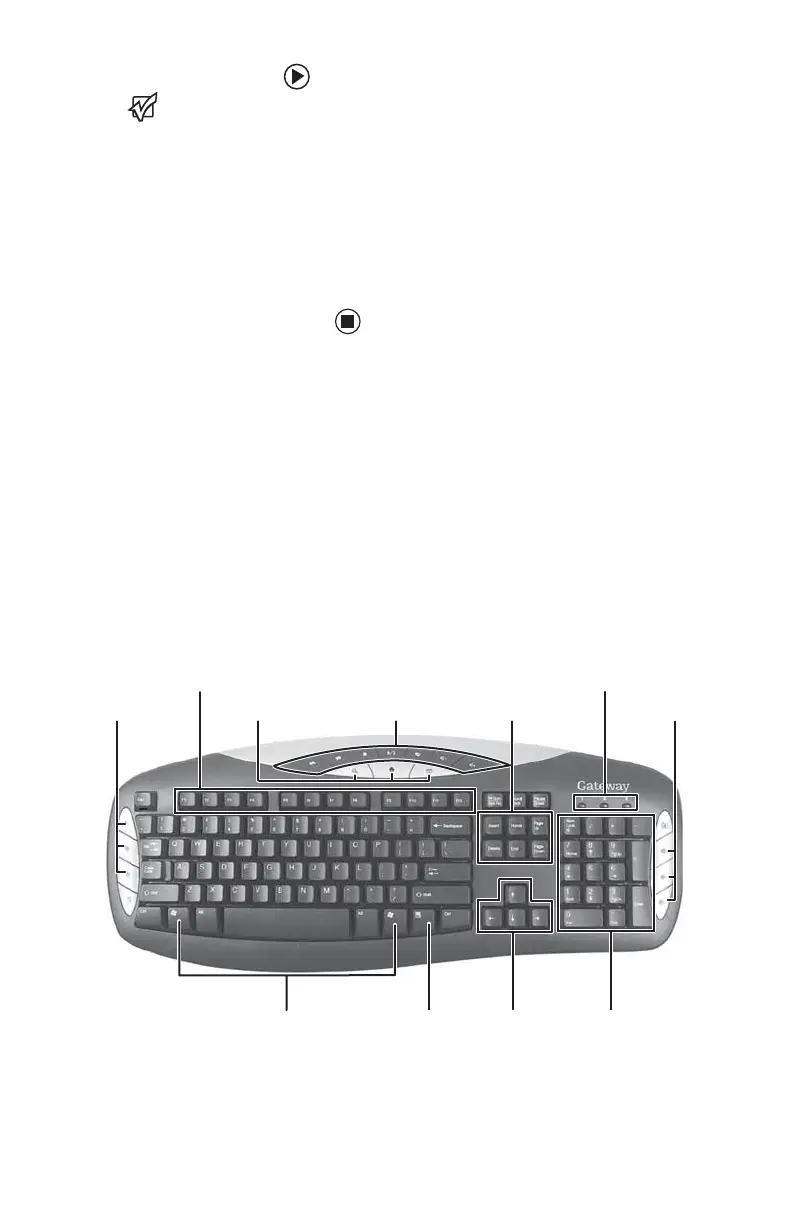
Premium multimedia keyboard features
The keyboard has several different types of keys
and buttons. Your keyboard also has status
indicators that show which keyboard feature is
active.
Function keys
Navigation keys
Indicators
Windows keys Application key Directional keys Numeric keypad
Editing buttons
Internet buttons
Audio playback
buttons
Internet buttons
8511781.book Page 17 Tuesday, October 10, 2006 4:41 PM



 To Next Page