Replacing the power supply
71
Replacing the power supply
Tips & Tricks
You need a Phillips
screwdriver to replace
the power supply.
To replace the power supply:
1 Remove the side panel by following the
instructions in “Removing the side panel”
on page 51.
2 Disconnect the power supply cables from
all components (such as hard drives, CD or
DVD drives, and the system board), noting
their locations and orientation. (You will
reconnect the cables after you install the
new power supply.)
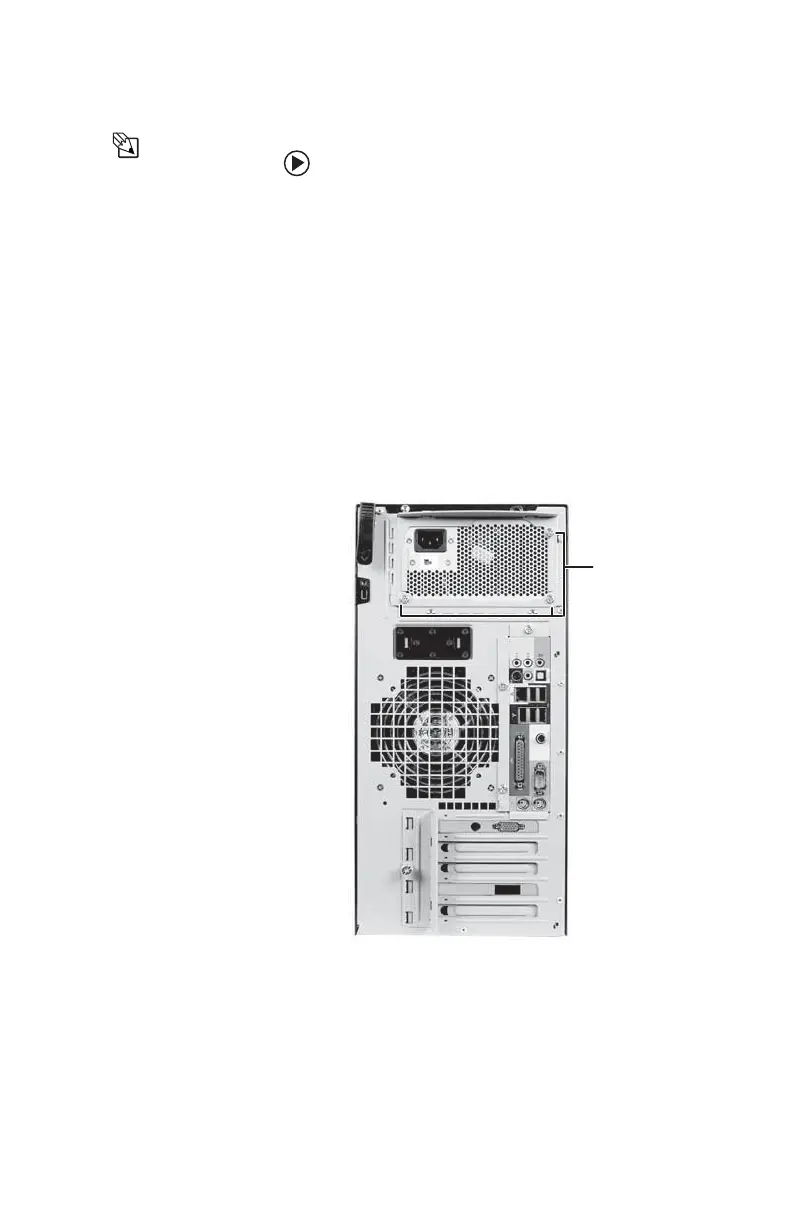
3 Remove the three screws that secure the
power supply to the computer.
4 Slide the power supply away from the back
of the computer, then lift up.
5 Install the new power supply into the case,
then install the three screws to secure the
power supply to the case.
Screws
8511781.book Page 71 Tuesday, October 10, 2006 4:41 PM



 To Next Page