CHAPTER 4: Advanced Hardware Setup
32
www.gateway.com
Setting up your CrossFire video
cards
If your computer came with two CrossFire™
video cards installed, they must be connected
correctly to work. For the latest information on
setting up your CrossFire video cards, see
www.ati.com/crossfire
. For help on topics not
covered here, see the ATI Catalyst Control
Center’s online help.
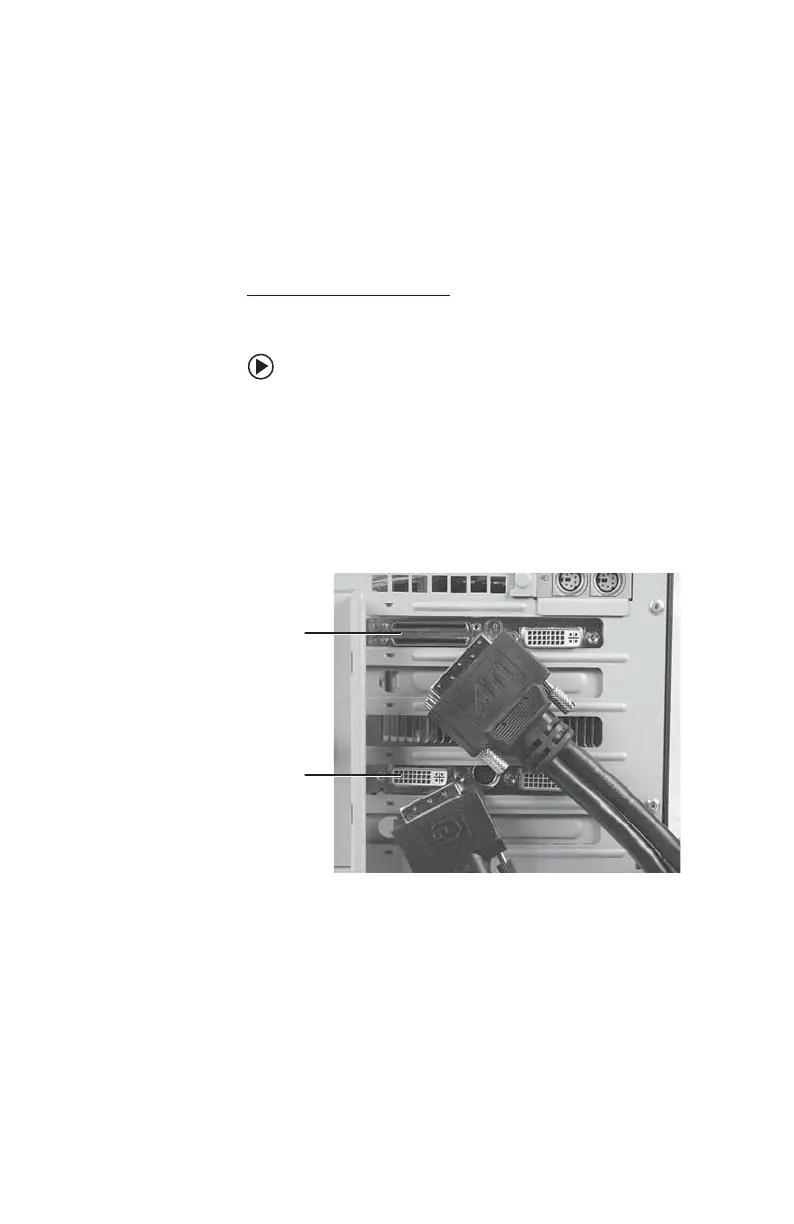
To connect your CrossFire video cards:
1 Connect the CrossFire cable’s VHDCI plug
to the VHDCI port on the upper (“master”)
of the two Crossfire cards. Make sure that
the VHDCI plug is oriented so that the
shorter of the two cables branching away
from the plug is closest to the card’s DVI
port.
2 Use a flat-bladed screwdriver to secure the
thumbscrews on the VHDCI plug to the
graphics card.
3 Connect the shorter of the two DVI cables
(the cables branch away from the VHDCI
plug) to the second CrossFire card (“slave,”
the one with two DVI ports).
VHDCI port
(“master”)
DVI port
(“slave”)
8511781.book Page 32 Tuesday, October 10, 2006 4:41 PM



 To Next Page