Setting up RAID
41
Creating a RAID volume
Because RAID can be configured so many ways,
this procedure covers only the basics.
To configure RAID:
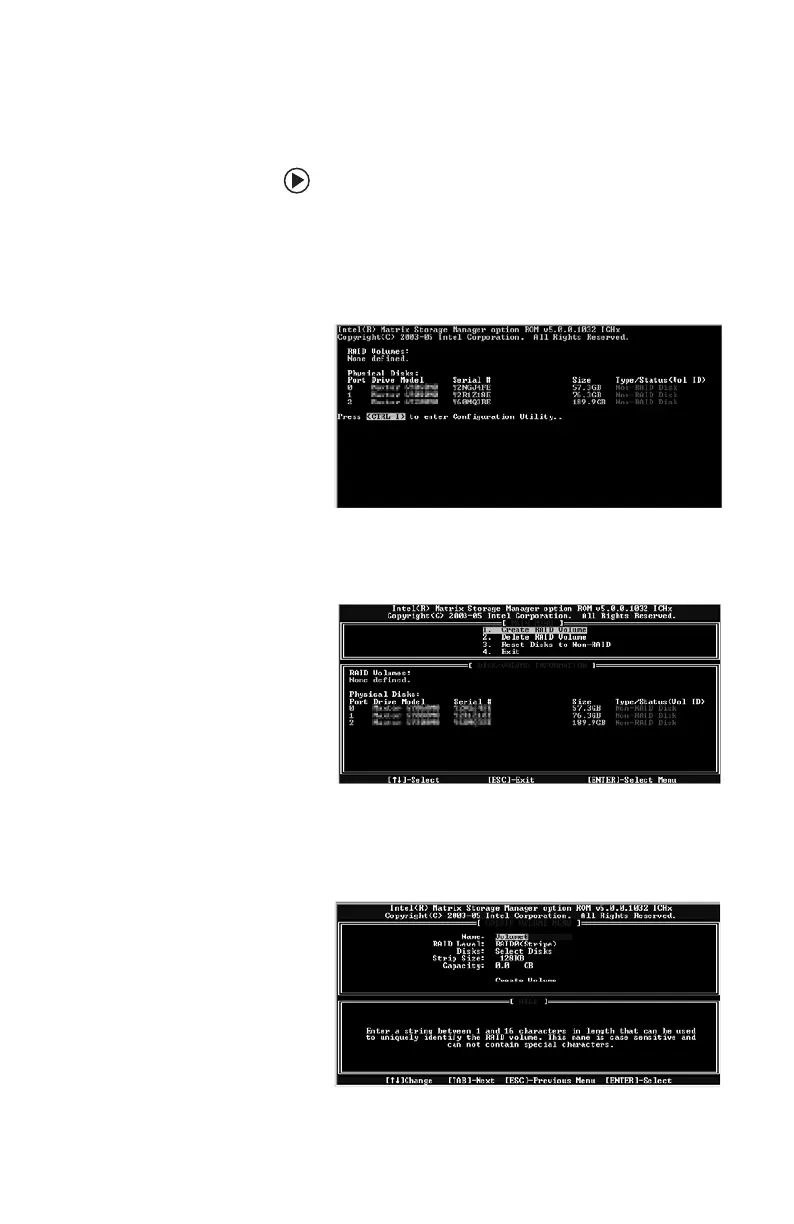
1 Start (or restart) your computer. During
startup, the RAID option screen appears.
(Number and specifications of your drives
may vary from the example.)
2 While the RAID option screen is open, press
C
TRL+i. The Matrix Storage Manager opens.
3 Highlight 1. Create RAID Volume, then
press E
NTER. The CREATE VOLUME MENU
opens.
8511781.book Page 41 Tuesday, October 10, 2006 4:41 PM



 To Next Page