Overclocking the processor
45
To change the clock speed of your processor:
1 Turn off your computer and disconnect the
power cord.
2 Place your computer on its side with the
side accesss panel facing up.
3 Follow the anti-static precautions in
“Preventing static electricity discharge” on
page 50.
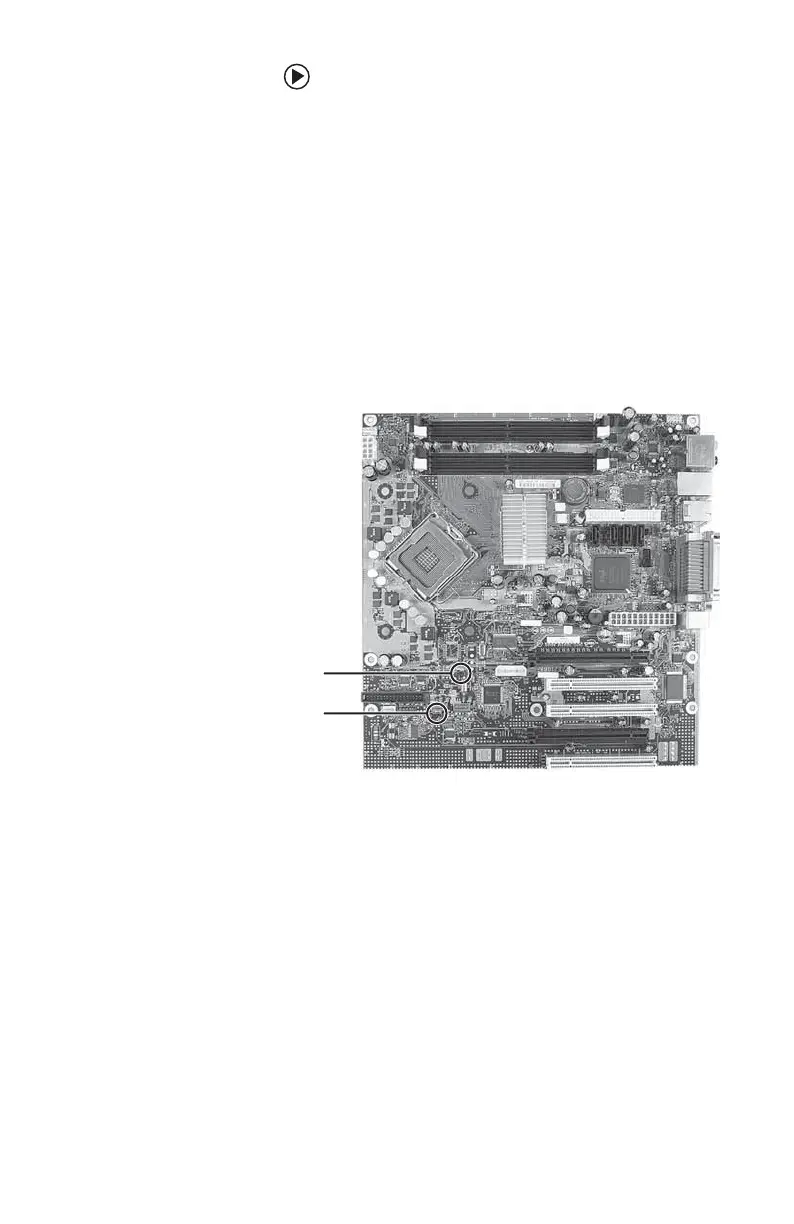
4 Open the side panel and locate the jumper
labeled J3C2 BIOS Config on the system
board.
5 Remove the jumper from its normal
position (bridging pins 1-2), then place it in
the maintenance boot position (bridging
pins 2-3).
6 Reconnect the power cord.
7 Turn on your. The BIOS Setup utility opens.
8 Press the arrow keys to select the
Performance tab. Press the arrow keys to
highlight Set Processor Multiplier, then
press Enter.
J3C2 BIOS
Config jumper
J2B3 jumper
(do not adjust)
8511781.book Page 45 Tuesday, October 10, 2006 4:41 PM



 To Next Page