Replacing the memory card reader
63
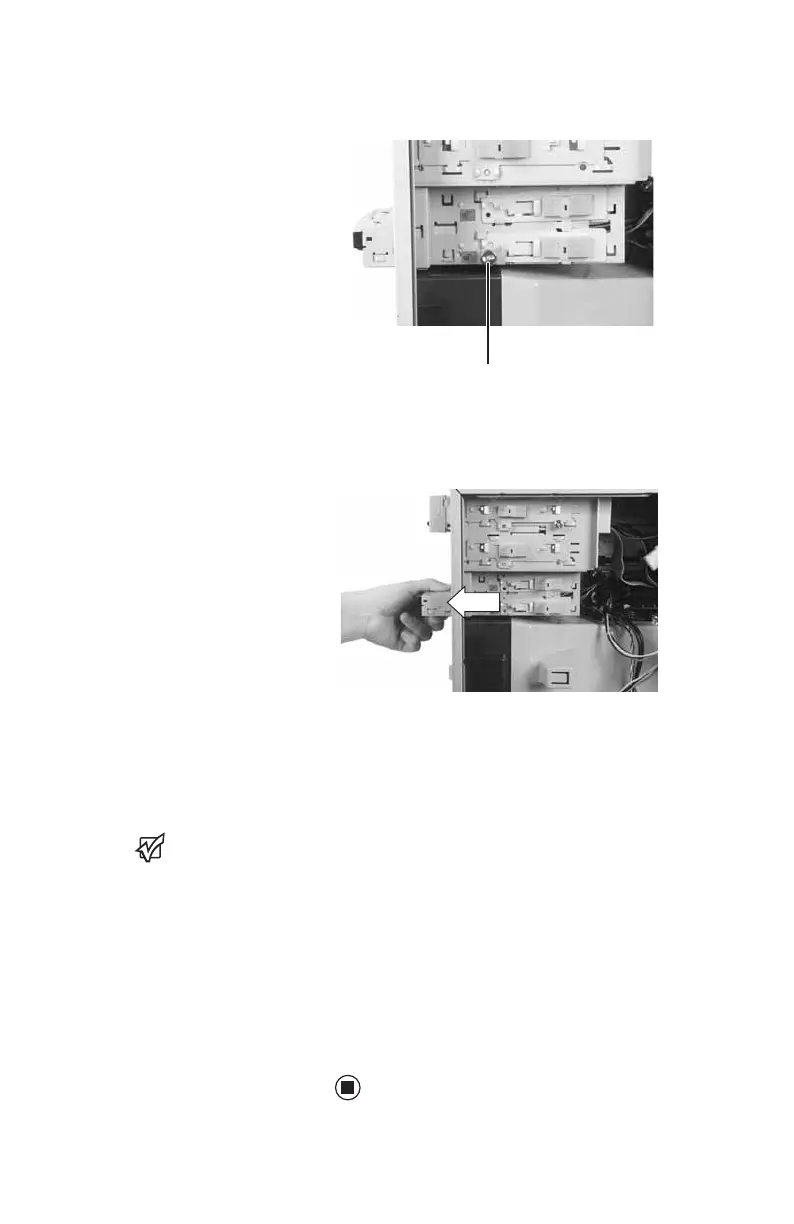
4 Remove the thumbscrew holding the card
reader in the drive bay.
5 Slide the drive release latch back to release
the card reader, then slide the card reader
out of the case.
6 Slide the new card reader into the bay from
the front of the case, then slide the drive
release latch forward to lock the drive into
place. You do not need to replace the
thumbscrew because it was originally
installed for shipping purposes.
Important
The color and shape of
your replacement
reader's front cover
may vary from your
original reader.
7 Connect the new card reader cables, using
your notes from Step 3.
8 Replace the bezel by following the
instructions in “Replacing the front bezel”
on page 54.
9 Replace the computer case’s side panel by
following the instructions in “Replacing the
side panel” on page 55.
Thumbscrew
8511781.book Page 63 Tuesday, October 10, 2006 4:41 PM



 To Next Page