CHAPTER 5: Upgrading Your Computer
68
www.gateway.com
4
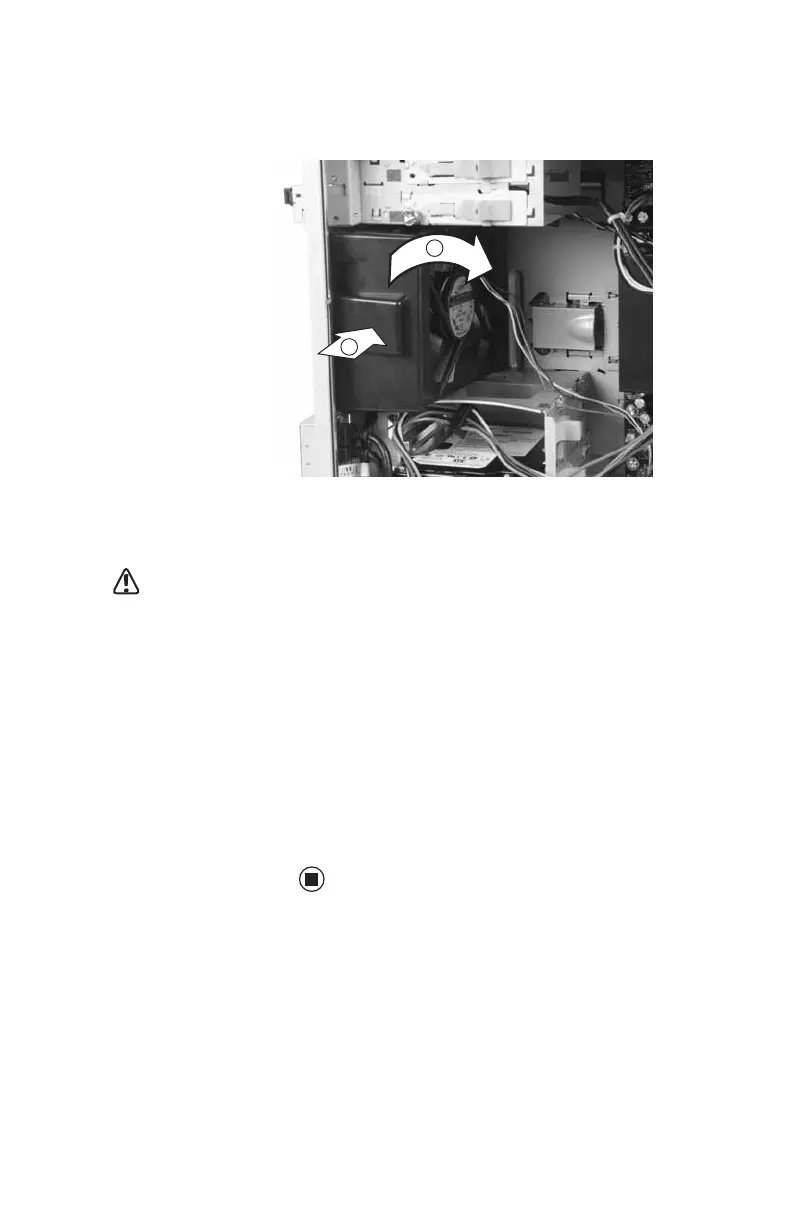
Remove the fan mount by pressing in on
the flat area (1) near the front, then
rotating the fan mount (2) back.
5 Slide the old fan out of the fan mount.
6 Slide the new fan into the fan mount.
Caution
Be careful not to catch
the wires connecting
the power button to
the system board
when rotating the fan
mount. A notch has
been provided for
routing these wires.
7 Insert the tabs on the rear of the fan mount
into the slots provided, then rotate the
mount into place. The mount should lock
into place.
8 Reconnect the fan cable to the system
board.
9 Replace the fan cover.
10 Replace the side panel by following the
instructions in “Replacing the side panel”
on page 55.
1
2
8511781.book Page 68 Tuesday, October 10, 2006 4:41 PM



 To Next Page