Adding or replacing an expansion card
77
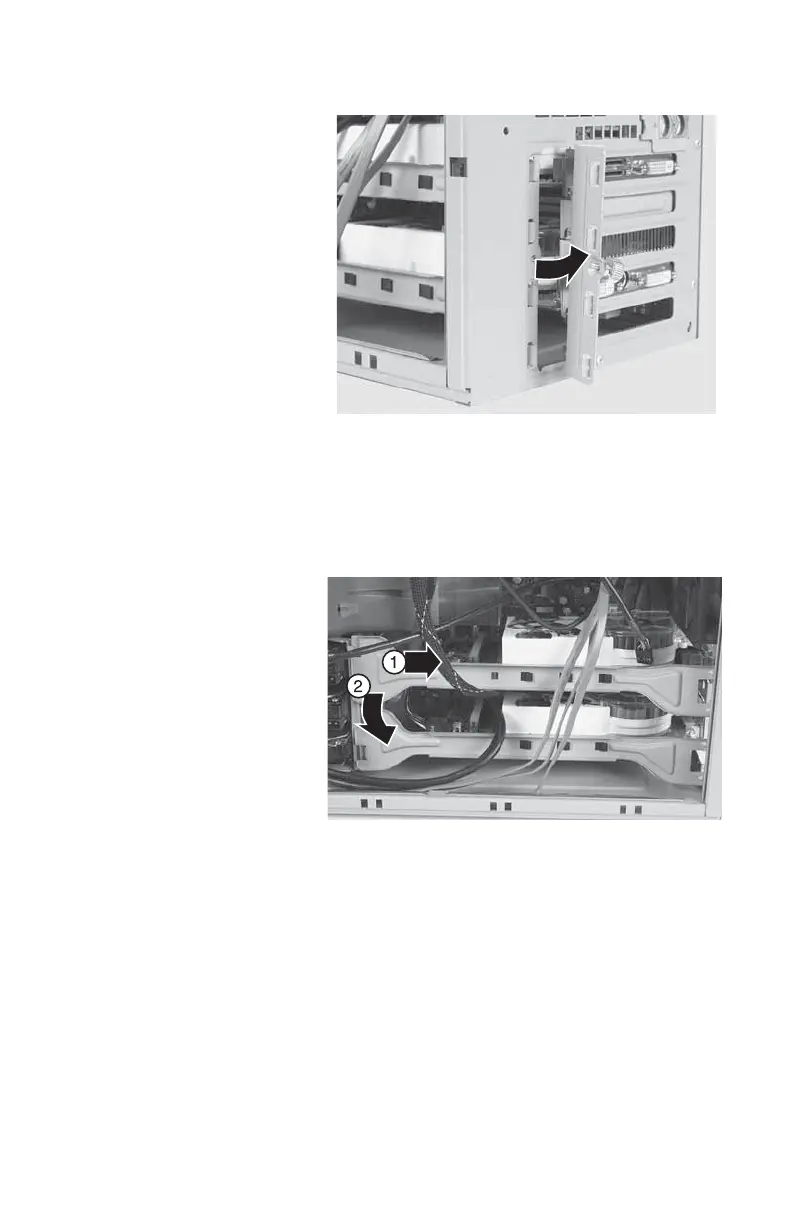
3 Open the expansion card cover.
4 To remove the PCIx card support brackets,
slide them toward the back of the case (1)
until they slip free, then pull the front of the
brackets away from the computer (2) and
remove them.
5 For more stability, place your computer on
its side. To avoid scratching the case, place
it on a towel or other non-abrasive surface.
6 If you are replacing a card, disconnect any
cables that are attached to the card, noting
their locations and orientation. (You may
have to reconnect the cables after you
install the new card.)
8511781.book Page 77 Tuesday, October 10, 2006 4:41 PM



 To Next Page