CHAPTER 6: Wireless Networking
92
www.gateway.com
Connecting to your network
Help and
Support
For more information
about connecting to
your network, click
Start, then click Help
and Support. Type
one of the following
keywords in the Help
and Support Search
box, then click the
arrow:
• connect to an
available network
• manually add a
wireless network
• connecting to
wireless network.
After you have named your computer and
workgroup, you need to set up the network
connection on your computer.
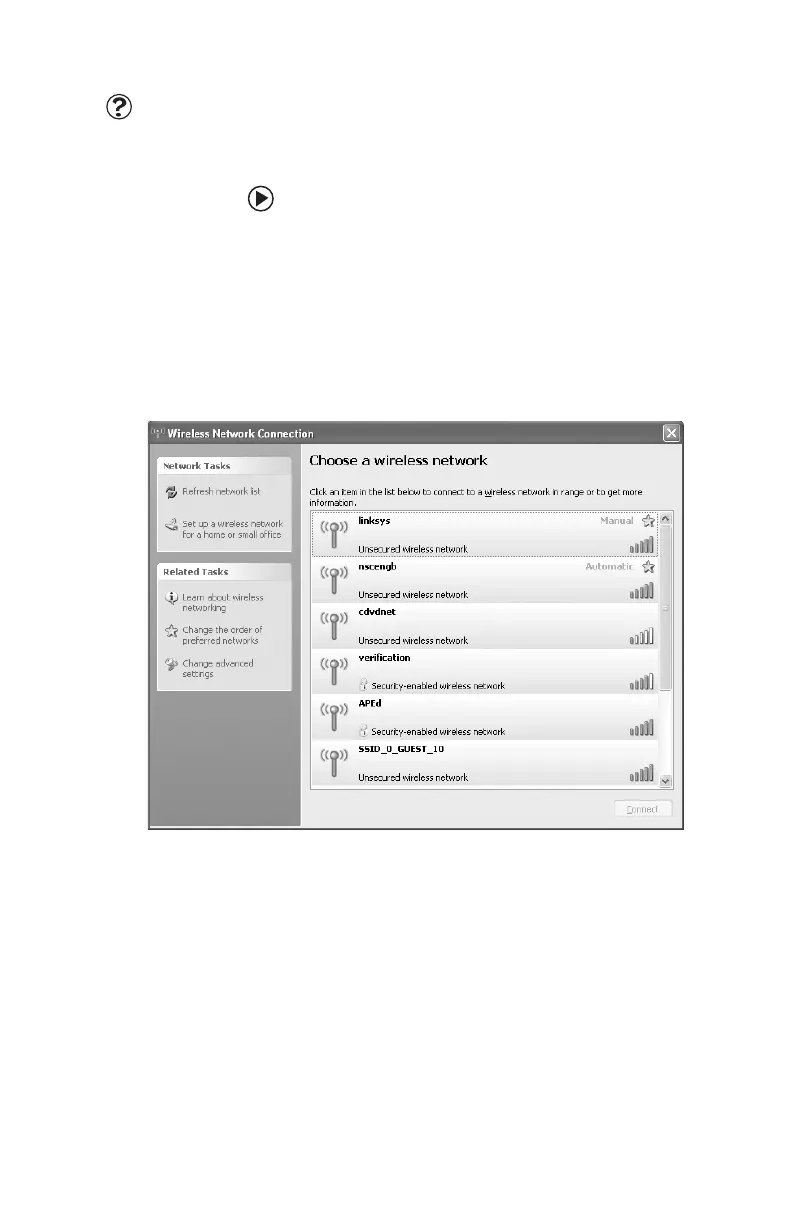
To connect to your wireless network:
1 Click Start, right-click My Network Places,
then click Properties. The Network
Connections window opens.
2 Right-click the Wireless Network
Connection
icon, then click View
available wireless networks. The Wireless
Network Connection dialog box opens.
8511781.book Page 92 Tuesday, October 10, 2006 4:41 PM



 To Next Page