Instructions for SW400DC
www.gatexpertstore.com
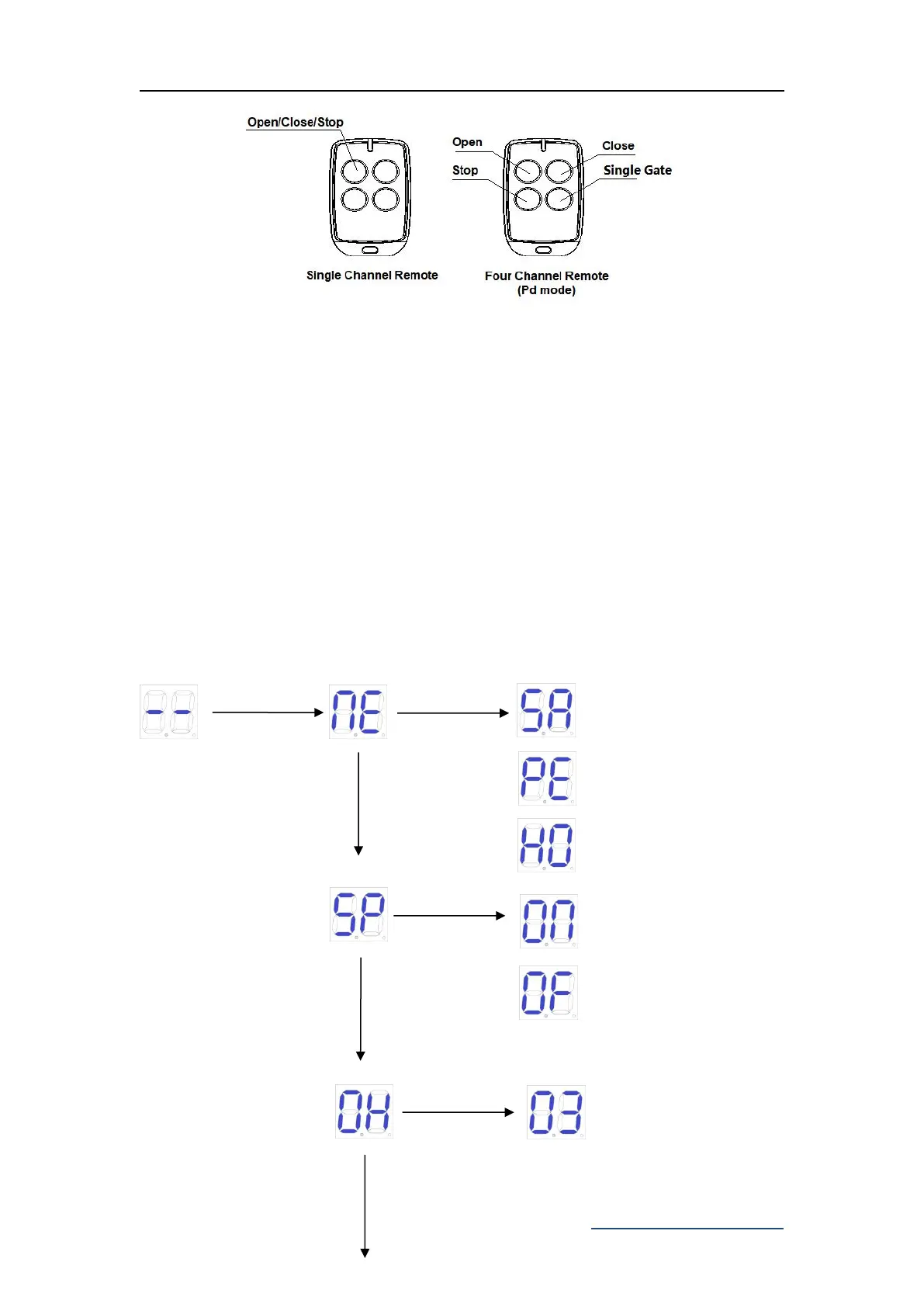
Figure 14
5.6.3 Special Remote Control Key-button
Press and hold the combination keys for 5S.
C(stop)+D(single gate) combination key -- enter into remote control learning.
5.7 Control Board Settings
5.7.1 Base Menu
Press "PROG" to enter into base menu;
Digital screen shows “NE”, select other functions of this menu by “+” and “-” buttons.
Press "SET" to confirm or to enter into sub-menu.
To exit menu, press "PROG".
If no command for one minute, the menu will automatically exit.
Base Menu
Standard mode
Open/Close/Stop
To switch
single gate
mode/dual
gates mode



 To Next Page