5.0 SOFTWARE CONFIGURATION
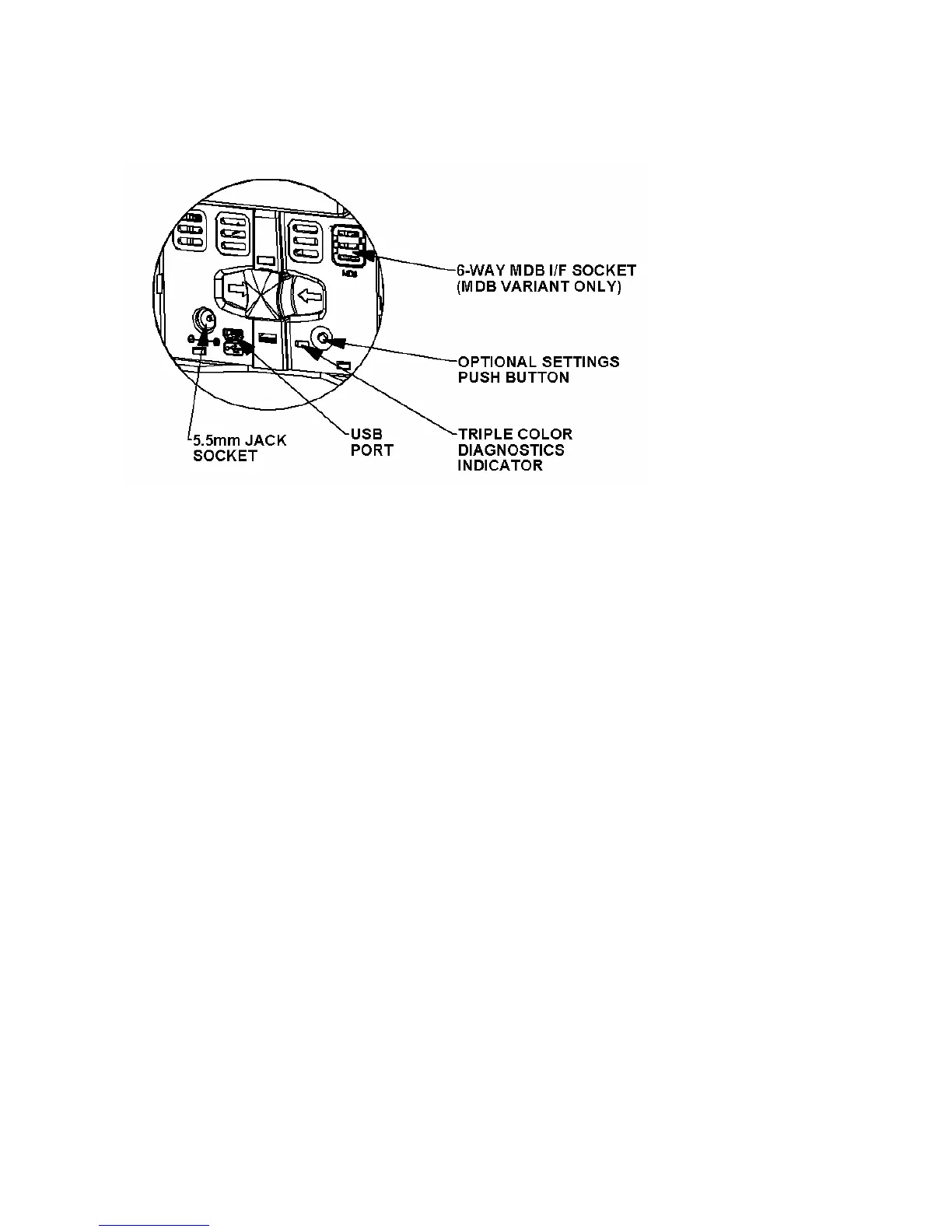
5.0 - Image illustrating rear of Bottom Sensor Assembly
The GBA ST1 can be configured using either the on-board push button or via a Windows based PC
package (GBA Talk) or connecting a USB memory device to the USB port.
5.1 On-board Push Button
The on-board push button is located on the Bottom Sensor Assembly at the rear of the unit. This
push button will allow access to on-board programming modes including note enable (1 press),
note disable (2 presses) and Primary Calibration / Configuration (3 presses). A single long press of
more than 2 seconds will cancel the programming mode. In the note enable and disable modes a
sample note must then be presented for scanning. If the operation is successful the validator will
return to normal operation mode. If it is unsuccessful, it will remain in the program mode. If the
push button is held for more than 5 seconds an error is reported (LED solid red).
5.1.1 Configuration Procedure – Enable Note
Procedure:
1. Push button x 1, the rear diagnostic LED will flash green rapidly.
2. Insert the specific denomination required to be enabled.
3. The GBA ST1 will take the note in and then return it.
4. Enable complete. The rear diagnostic LED will return to solid green.
5.1.2 Configuration Procedure – Disable Note
Procedure:
1. Push button x 2, the rear diagnostic LED will flash red rapidly.
2. Insert the specific denomination required to be disabled.
3. The GBA ST1 will take the note in and then return it.
4. Disable complete. The rear diagnostic LED will return to solid green.


 To Next Page