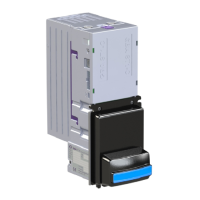
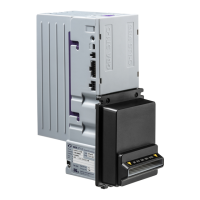
7.3 Low Power Mode
This mode is designed so that the ST1 unit remains in hibernation, drawing very low power, until a
note is presented at the front. At this point it will wake up immediately and process the note. If no
other note is presented within 2 seconds, the unit will return to hibernation.
The “Use Low Power Mode” option must be set via GBA Talk or Service tools.
In this mode the quiescent current drawn by the unit is reduced to 10 µA by remaining in
hibernation until a note is presented.
7.3.1 Electrical Connections:
The 12 Volts dc power should only be connected to pin 17 of the 20 way connector – pin 16 must
be left unconnected. See section 8.0 below.
7.3.2 Operational Features:
1. During the wake up process, the ST1 will pull the BUSY line low (pin 3), keeping it active
during the entire transaction. Therefore, the BUSY line can be monitored and used to wake
up the host if this is also put to sleep to save power.
2. The ST1 will return to sleep mode 2 seconds after all activity has ceased. However it will
wake up again on any new note presentation.
3. Therefore the host should latch its power supply on wake up to allow the machine to
complete the customer transaction rather than rely on ST1 to keep it awake.
4. Should the host need to wake up ST1 at any point, this can be achieved by pulling pin 18
low and keeping it low as long as ST1 is required. This feature can be used to run tests on
the ST1 or download an updated note dataset.
5. If the host is using the ccTalk serial interface then:
a. It does not need to enable the ST1 or the notes when it wakes up. The ST1 will scan
the note immediately, and hold it in escrow. If the host fails to begin polling the ST1
within 7 seconds after the wake up signal is issued then the note will be rejected.
b. The Inhibit Line must be connected to ground, or pulled low by the host, before the
note is scanned into the ST1. This allows the host to signal if it wishes the ST1 to
even start scanning.
6. If a note is returned to the customer, then the ST1 will wait up to 3 seconds for the user to
remove it, before powering down. If the note has not been removed, it will send a pulse on
the ALARM line, and then go into hibernation.
7.3.3 Blinking Note Guide:
If the ST1 is fitted with a standard flashing note guide, then this will only come on while a note is
being handled. However the ST1 can be fitted with a special Low Power “Blinking Note Guide” to
achieve minimum quiescent current. While the ST1 is in hibernation, this will briefly blink every 2
to 3 seconds, to show that the ST1 is in service. If the ST1 had a fault before going into hibernation
(e.g. a note jam) then the note guide will not blink.
The average current drawn will increase to about 45
µA.


 To Next Page