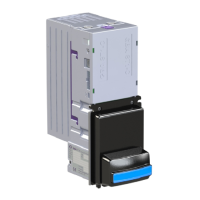
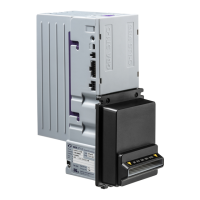
10.2 Troubleshooting
The following information is presented for customers’ guidance in identifying problems with the GBA ST1. It does not necessarily cover every
possible situation.
Problem Symptoms Possible Cause Investigate Possible Solution
Unit does not work - belt motor does not
run, no LED colour
1. Power supply not switched on.
2. Power supply not connected.
3. Poor electrical connection(s).
4. Unit carrying out self-test.
5. PSU failure
1. Power supply and power cable.
2. Diagnostics indicator or illuminated
note guide (if fitted).
3. Interface and 18-way cable assemblies.
1. Ensure power to validator is connected
and turned on.
2. Ensure Interface and 18-way cable are
connected firmly and correctly.
All programmed notes are rejected 1. Acceptance inhibited for all notes.
2. MASG not working.
3. Escrow sensor not working.
1. Software configuration.
2.
3.
1. Use on-board button or GBA Talk to
enable required notes.
Poor or no acceptance of one or more
programmed notes
1. Note acceptance inhibited.
2. Poor sensor readings.
3. Insufficient power supply capacity.
1. Note inhibit settings.
2. Bottom Sensor Assembly fitting.
3. Note path cleanliness.
1. Use on-board button or GBA Talk to
enable required notes.
2. Use GBA Talk to check sensor levels and
re-calibrate if necessary.
3. Clean validator note path.
Notes fail to stack correctly 1. Escrow sensor not working.
2. Stacker motor not working.
3. Stacker mechanism not working.
1. Stacker motor cable connections.
2. Stacker jams.
3. Damaged / distorted note in cassette.
1. Ensure all cables are connected
properly.
2. Ensure cassette is located correctly and
free from damage.
Unit does not communicate with host
machine
1. Incorrect interface selected.
2. Poor electrical connection(s).
1. Configuration of validator.
2. Interface and 18-way cable assemblies.
1. Use on-board button or GBA Talk to
select required interface.
2. Ensure Interface and 18-way cable are
connected firmly and correctly.
Belt motor and/or stacker motor runs
continuously after power ON
1. Poor electrical connection(s) 1. Internal harnessing. 1. Ensure Interface and 18-way cable are
connected firmly and correctly.
Unit does not provide credit for accepted
note
1. Incorrect interface selected.
2. Poor electrical connection(s).
1. Configuration of validator.
2. Interface and 18-way cable assemblies.
1. Use on-board button or GBA Talk to
select required interface.
2. Ensure Interface and 18-way cable are
connected firmly and correctly.


 To Next Page