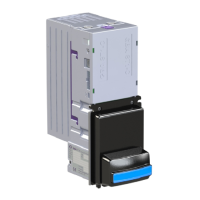
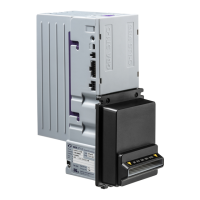
9.0 MAINTENANCE
9.1 Cleaning the Validator Note Path
Equipment Required
Cotton swab or lint-free cloth.
Cleaning solution - a mix of water and up to 50% Iso-Propyl Alcohol (IPA) is recommended. DO
NOT use more than 50% IPA. NEVER use solvent-based cleaning agents, such as amber clense,
pure alcohol, petrol, methylated spirit or white spirit on this product as the unit will be severely
damaged.
Anti-Static precautions should always be observed when cleaning the GBA ST1 unit.
1. Ensure the power supply to the GBA ST1 unit is switched OFF.
2. Remove the Cassette by sliding the cassette clip forwards (away from the cassette) and
lifting the cassette away from the GBA ST1 unit.
3. Disconnect all external cables attached to the Bottom Sensor Assembly through the side
walls of the Channel Assembly.
4. Pinch together the central tabs of the purple bottom plate clip, and gently slide the Bottom
Sensor Assembly away from the Channel Assembly.
5. Pick off and discard any large items of debris from the note path of the Bottom Sensor
Assembly. Repeat for the other side of the note path (on the drive belt assembly).
6. Using the cotton swab, or lint-free cloth, wetted with cleaning solution and applying light
force only, carefully clean all sensor windows in both halves (upper and lower) of the note
path. If a sensor window has become badly scratched do not attempt to polish it, contact
your local regional office for further advice.
7. Continue with the swab, or lint-free cloth, to clean the rest of the note path, including
sprung rollers.
8. Visible parts of belts can be cleaned by wiping with a cleaning solution-soaked cotton swab
or wipe. It is not possible to clean the whole belt surface without removing the belts from
the unit.
9. Use an additional swab or cloth to dry the cleaned area, if required.
10. Slide the clean Bottom Sensor Assembly back into the Channel, ensuring that the bottom
plate clip latches securely into both sides of the Channel.
11. Re-connect the external cables.
12. Re-fit the Cassette.
13. The supply to the unit can now be switched ON.


 To Next Page