EasyManua.ls Logo

GCC Technologies Expert 52 - Page 18

GCC Technologies Expert 52
58 pages
Print Icon
To Next Page IconTo Next Page
To Previous Page IconTo Previous Page
Loading...
Expert 52 User Manual
Installation
2-11
CAUTION!
!!
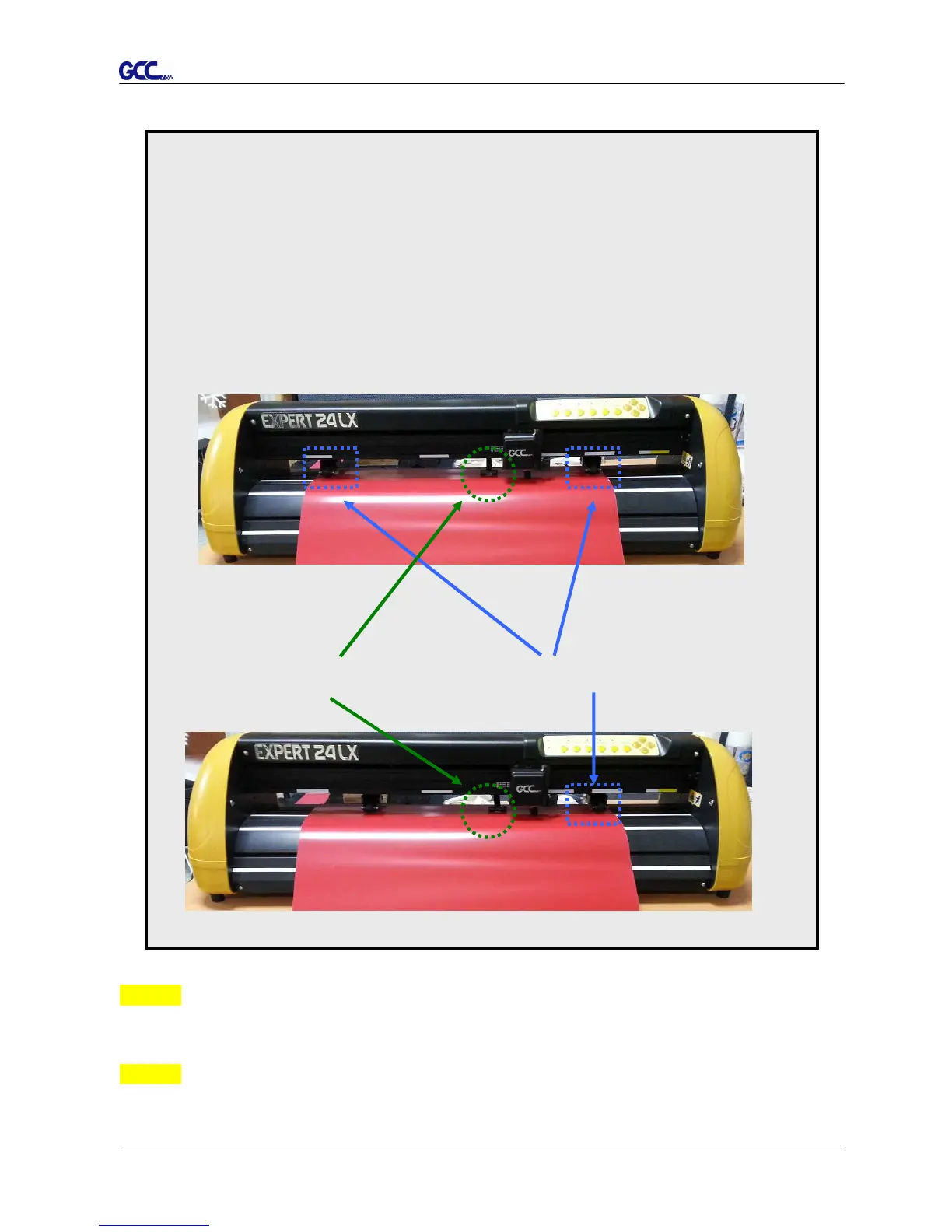
Make sure the Primary and secondary pinch rollers are set to right positions.
Position the Primary Pinch Rollers at the right and left sides of media.
Position the Secondary Pinch Roller at the center of media.
Note: Expert 24 serves as an illustrator here.
Pinch Roller
Figure 2-17
Figure 2-18
Primary Pinch Roller
Figure 2-17
(X)
Incorrect
(O)
Correct
Secondary Pinch Roller
Step 4
Push the lever backward to lower down the pinch rollers (Figure 2-16).
Step 5
After turn on the power, the tool carriage will measure the size of the media automatically. And
the plotting cutter begins to work.

Related product manuals