2.6.3 RS-232 Interface
Connecting to the RS-232 (Serial) Port
For IBM PC, PS/2 users or compatibles, connect the RS-232C cable to the serial connector of
the assigned serial port (COM1 or COM2) of your host computer.
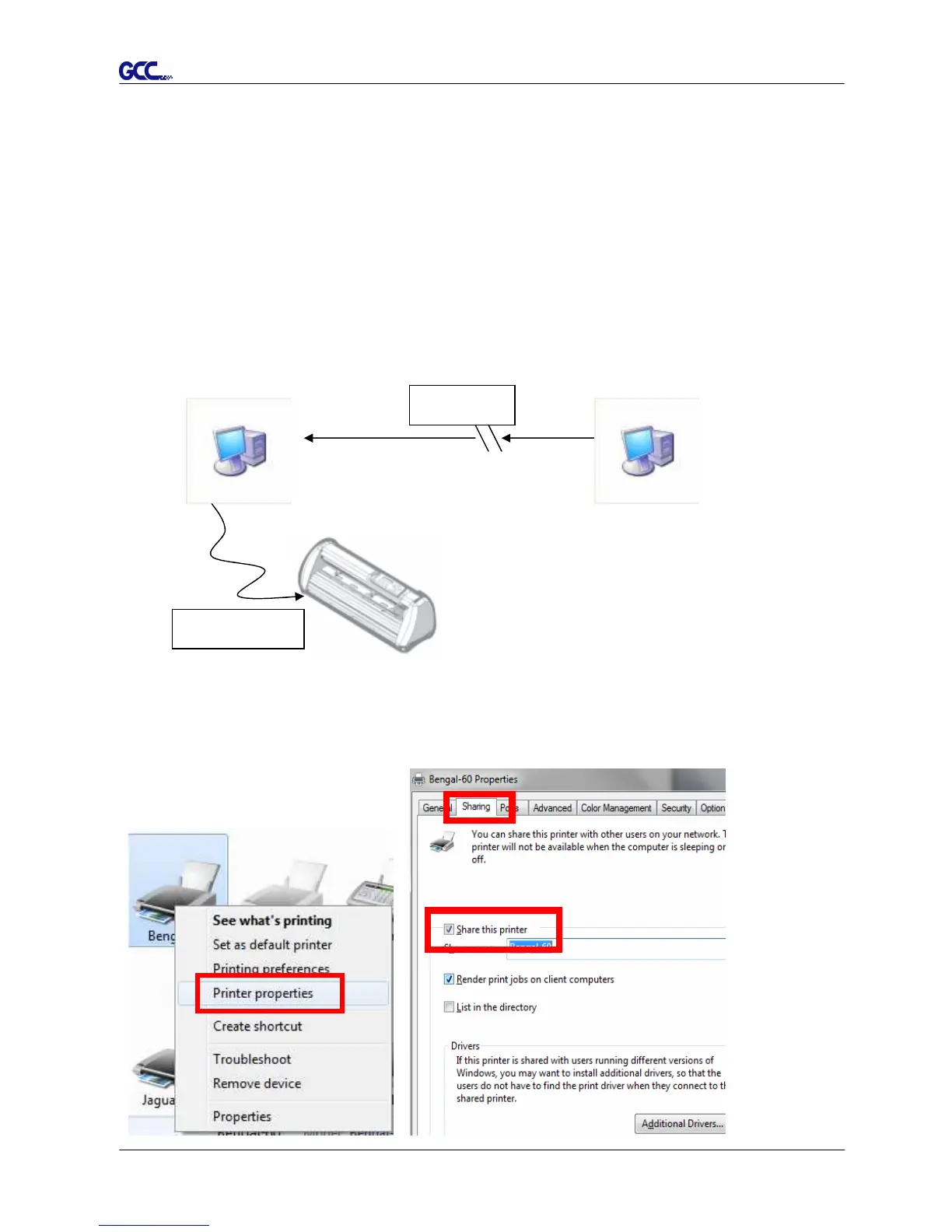
2.6.4 Printer Sever Shared Setting
In “A-PC”, set the printer driver as a shared printer, then use B-PC to connect A-PC’s printer
driver via internet.
A-PC B-PC
Step 1.
Please set A-PC’s printer driver to shared printer. (Right-click on printer icon, choose “Printer
properties”. Click “Sharing” tab then check “Share this printer”)
Internet
USB COM Port














 To Next Page