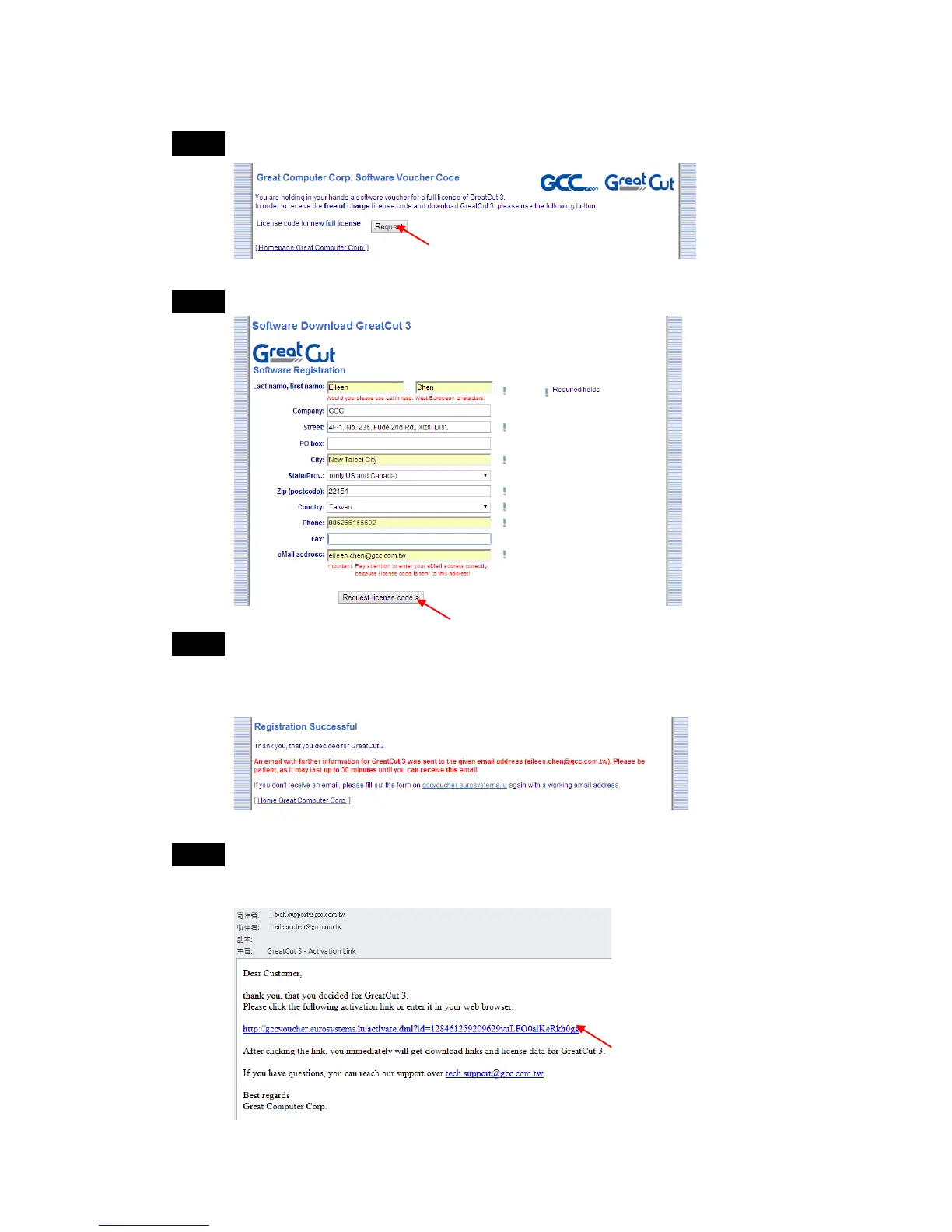
Step 2 Click “Request” to go to registration page.
Step 3 Fill in the required information and click “Request license code.”
Step 4 The registration is completed; you should receive two emails, one is
registration confirmation with activation link and another is your license
data with .ecf file.
Step 5 Check your email to see if you receive the activation link and click the
link that will direct you the link for GreatCut download.



 To Next Page