6.3 CorelDRAW AAS Plug-In Instruction
AASII Plug-in is a contour cutting of printed image function to work with graphic
software such as CorelDRAW and Adobe Illustrator which is a substitute
solution to Sure Cuts A Lot application software.
Installation
Please refer to Step 8 in Section 4.1 Driver Installation to install AAS plug-in for
CorelDRAW.
Run CorelDRAW AAS Plug-in
Step 1 Run CorelDRAW to edit your graphics and select all images at once
when you wish to plot.
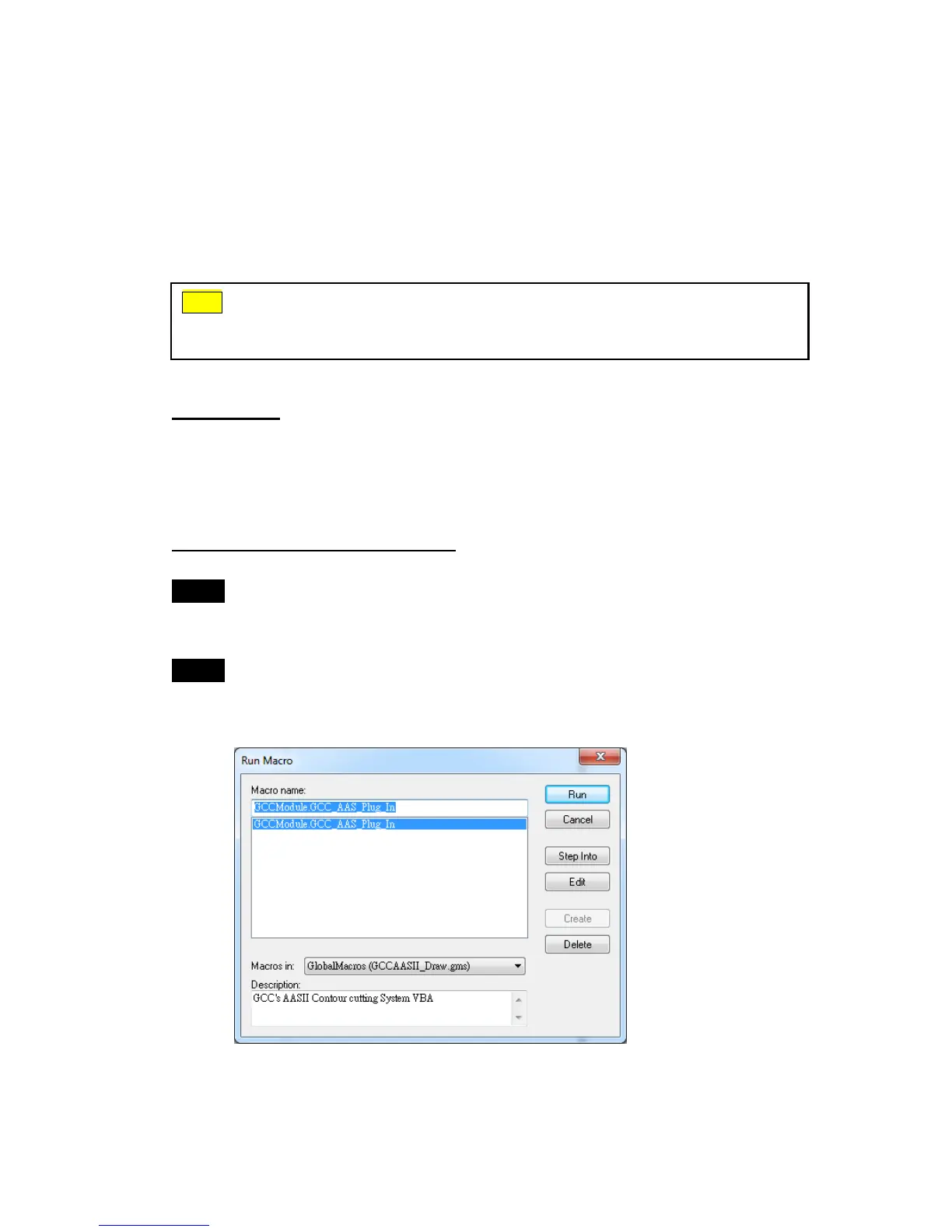
Step 2 Select “ToolsMacrosRun Macro.” Then select Global Macros
(GCCAASII_Draw13.gms) under the “Macros in” manual, and press
“Run”.
Note
AASII VBA Installer is applicable for CorelDRAW Version 13, 14, 15, 16, 17



 To Next Page