3.3.5 Convert Image to Cutting File (Trace Image)
"Sure Cuts A Lot" allows you to import image files and will trace the image for
cutting.
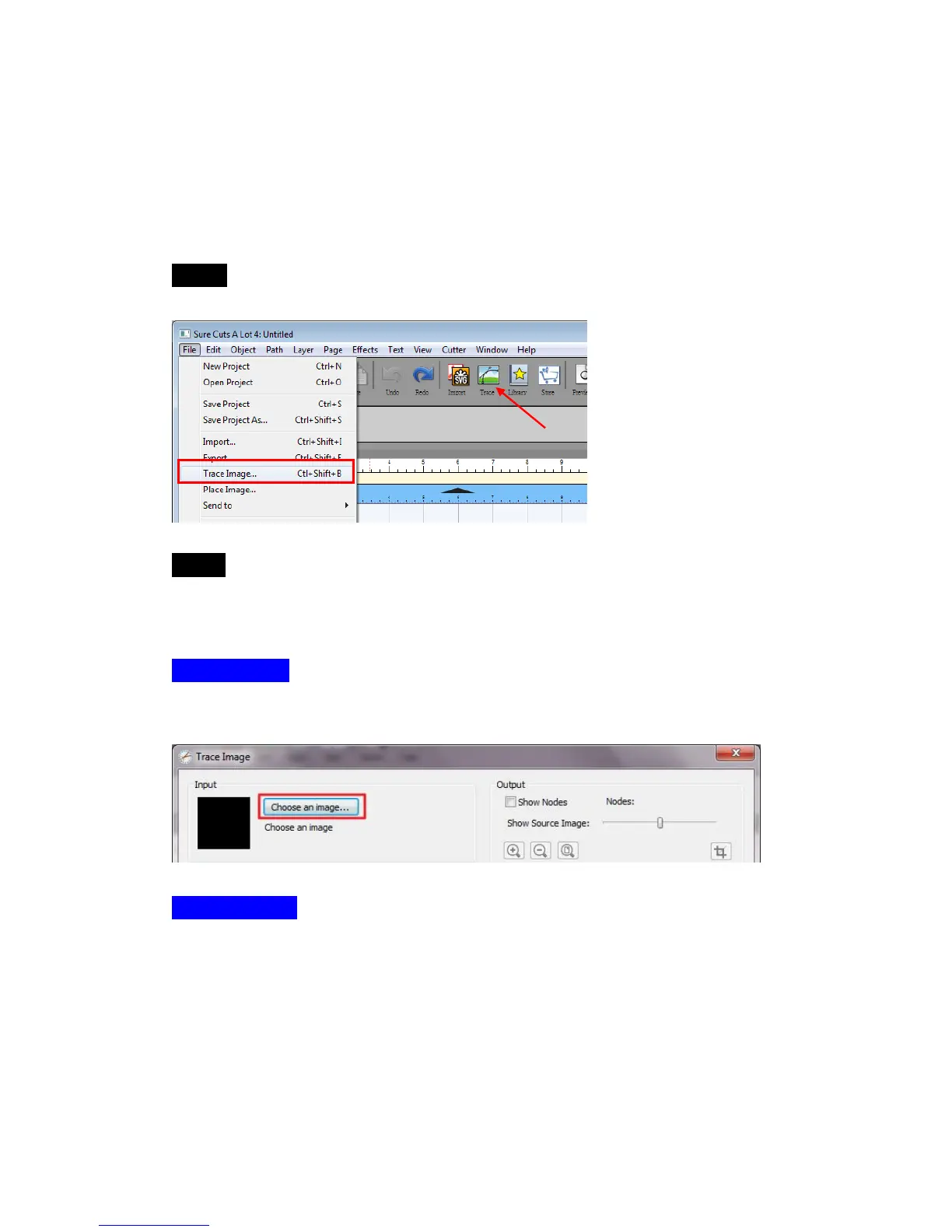
Step 1 Go to Trace Image under File, or select Trace Image button on the
toolbar to open the setting window.
Step 2 Click on “Choose an image” to input the image, adjust Image Settings
and Output Settings, and click OK. Then the outline of the image will be
outputted automatically.
Input Settings
Choose an Image: click “Choose an image…” button. The program can accept
most files (.bmp, .jpg, .gif, .png).
Image Settings
Mode: choose which tracing mode you would like to do.



 To Next Page