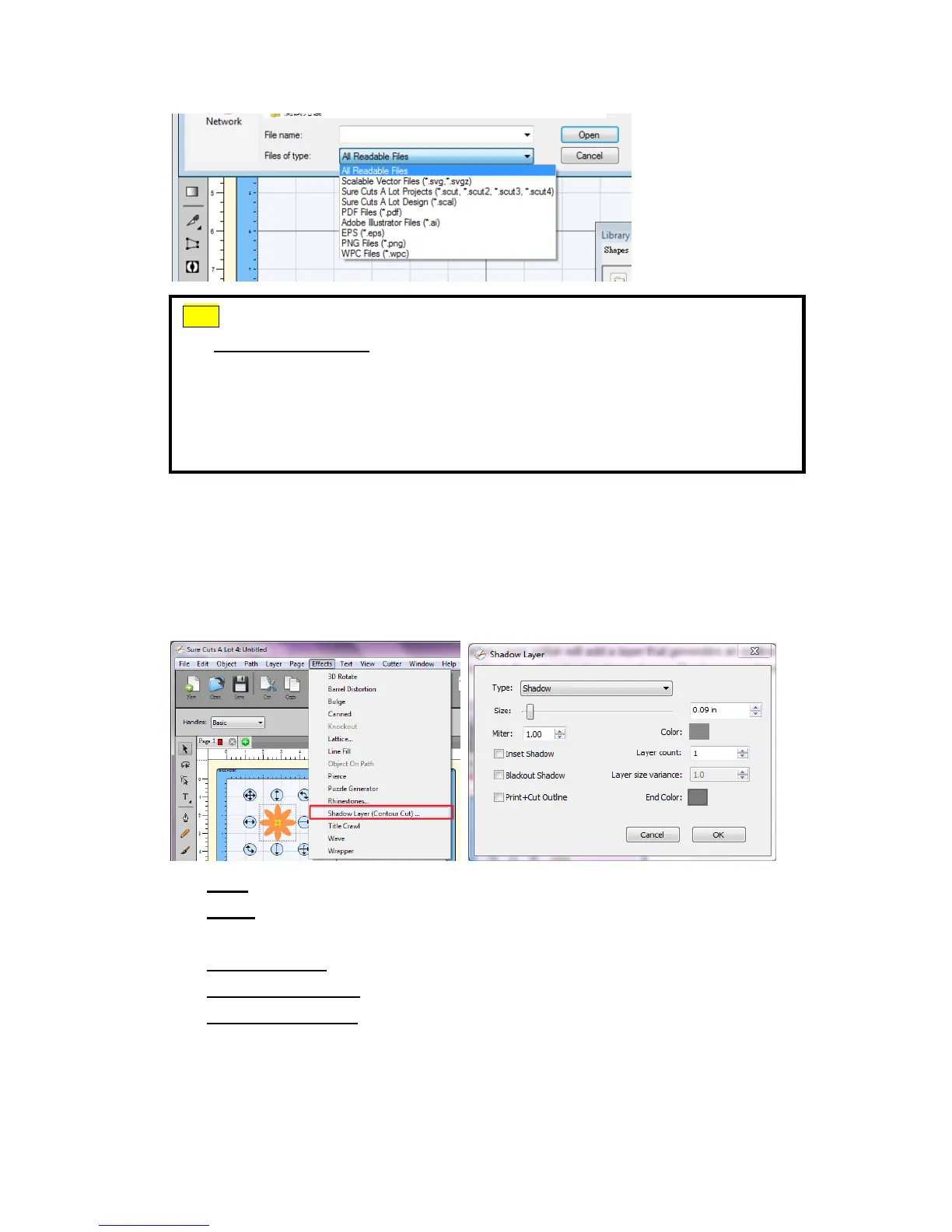
3.3.4 Shadow Layer (Contour Cut)
The Shadow Layer option will add a layer that generates an outline around the
selected object. To add a shadow layer, choose Shadow Layer from the Effects
menu.
‧ Size: How far to offset the shadow outline from the shape.
‧ Miter: If you are using the standard Shadow type, this controls when a
corner is changed from pointed to beveled.
‧ Inset Shadow: If checked, the shadow will offset into the shape.
‧ Blackout Shadow: Removes inner outlines.
‧ Print+Cut Outline: This will set the generated shadow layer to have cut
line type of "Print+Cut Cut" and will set the original shape to "Print+Cut
Print". This way the original shape will be used for printing only and the
new shadow layer is only cut.
Tips Thousands of SVG files designed specifically for Sure Cuts A Lot!
http://SVGCuts.com is the top of source for designer SVG files for Sure
Cuts A Lot. Thousands of high quality elements including: shapes for
card-making, scrapbooking, as well as gift bags, boxes and 3D flowers.
You can download free SVG files on search engine or pay some fee for
getting delicate SVG files that you can make beautiful works.



 To Next Page