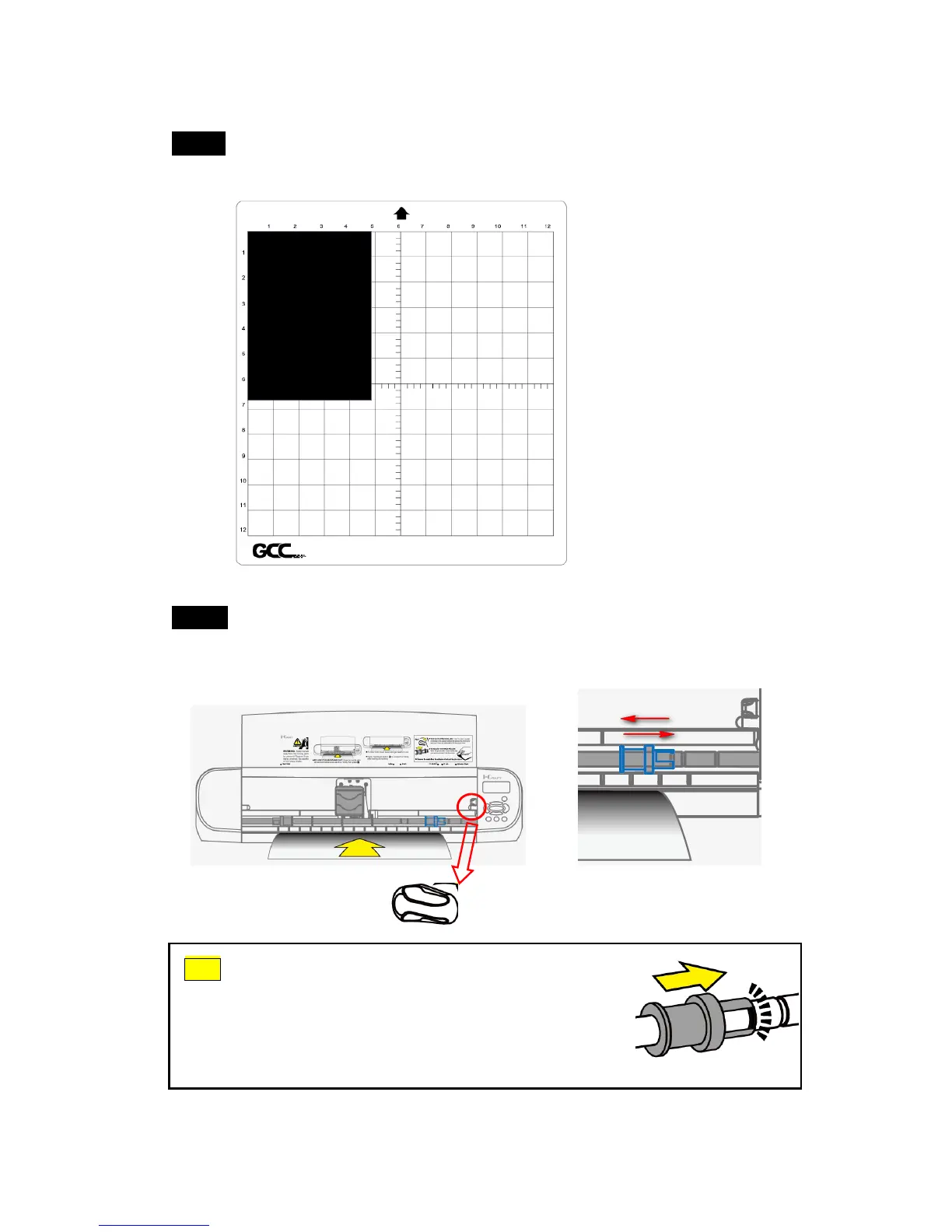
3.2 Media Loading
Step 1 Place the media onto the adhesive sheet and align the edge of sheet
media with the left and up side of the grid line.
Step 2 Turn the lever counterclockwise to release the roller and move the
pinch roller to the position you want to cut. i-Craft
TM
is able to cut
different sizes of media including Letter, 9 inch, A4, A3 and 12 inch.
Tips How to adjust pinch roller?
Turn the lever anti-clockwise to release the pinch roller
and slide the pinch roller to the position you like. Then
move the roller into the notch to lock it and turn the lever
clockwise to fix it.



 To Next Page