53 232001840G(08)
Function Page
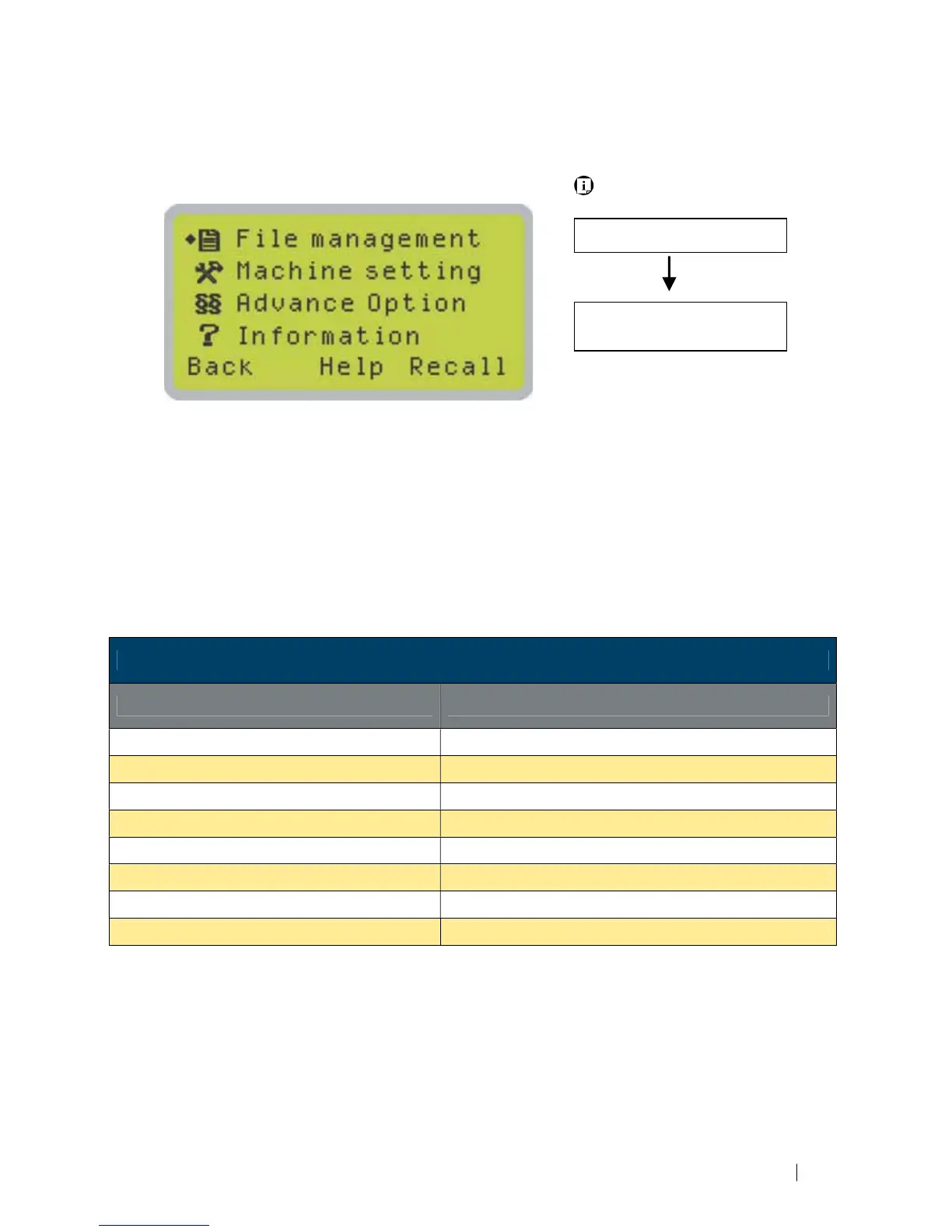
Navigating to this page:
Main Work Page
Press F4
Menu Page
• File Management Page – this page allows you to manage the files that you have loaded onto
the LaserPro C180II
• Machine Setting Page – this page allows you to access and modify various machine settings,
including: Set Lens, Tune Auto Focus, Set Table Down, Set Red Beam, Carriage Lock, Set
Command Mode, Save Position, Flash Memory, Set File Save Mode, Set Vector Mode, Tune
Image Power, Set Laser Wattage, Set Fine Mode, Other, Reset.
• Machine Information Page – this page allows you to view information regarding the system
such as the GCC logo, machine name, firmware version, and other information.
Functions Page
Relevant Buttons Function
F1 (Back) Back to previous page
F3 (Help) Display help
F4 (Recall) Back to previous page
U / V Directional Scroll through the menu selections
Enter Perform the selection
Start / Stop Back to Main Work Page
Auto Focus Initiate the auto focus function
S / T Manual Focus Buttons Manually adjust the height of the work table (Z-axis)





 To Next Page