61 232001840G(08)
Set
Lens
Page
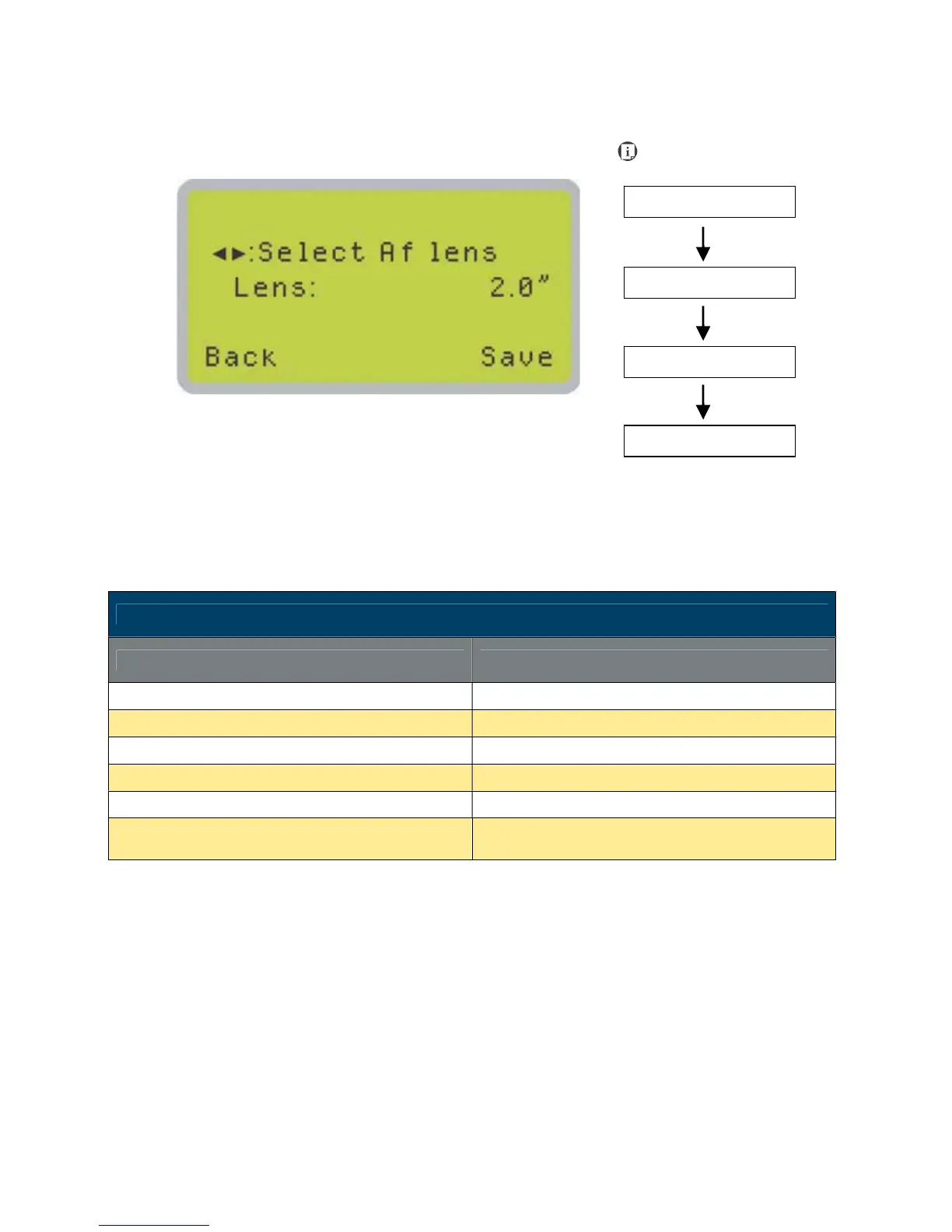
The Set Lens Page allows you to modify the lens settings after you have changed to a different
focal lens. Remember to save your settings after you have made the proper changes. Now by
pressing the Auto Focus button, the LaserPro C180II will conduct auto focus accordingly using
the new lens. The LaserPro C180II default setting is <2.0">
• Lens: 1.5" / 2.0"
Set Lens Page
Relevant Buttons Function
F1 (Back) Back to previous page
F4 (Save) Save your current settings
U / V Directional Cycle through selections
Start / Stop Back to Main Work Page
Auto Focus Initiate the auto focus function
S / T Manual Focus Buttons
Manually adjust the height of the work table (Z-
axis)
Main Work Page
Functions Page
Navigating to this page:





 To Next Page