74 232001840G(08)
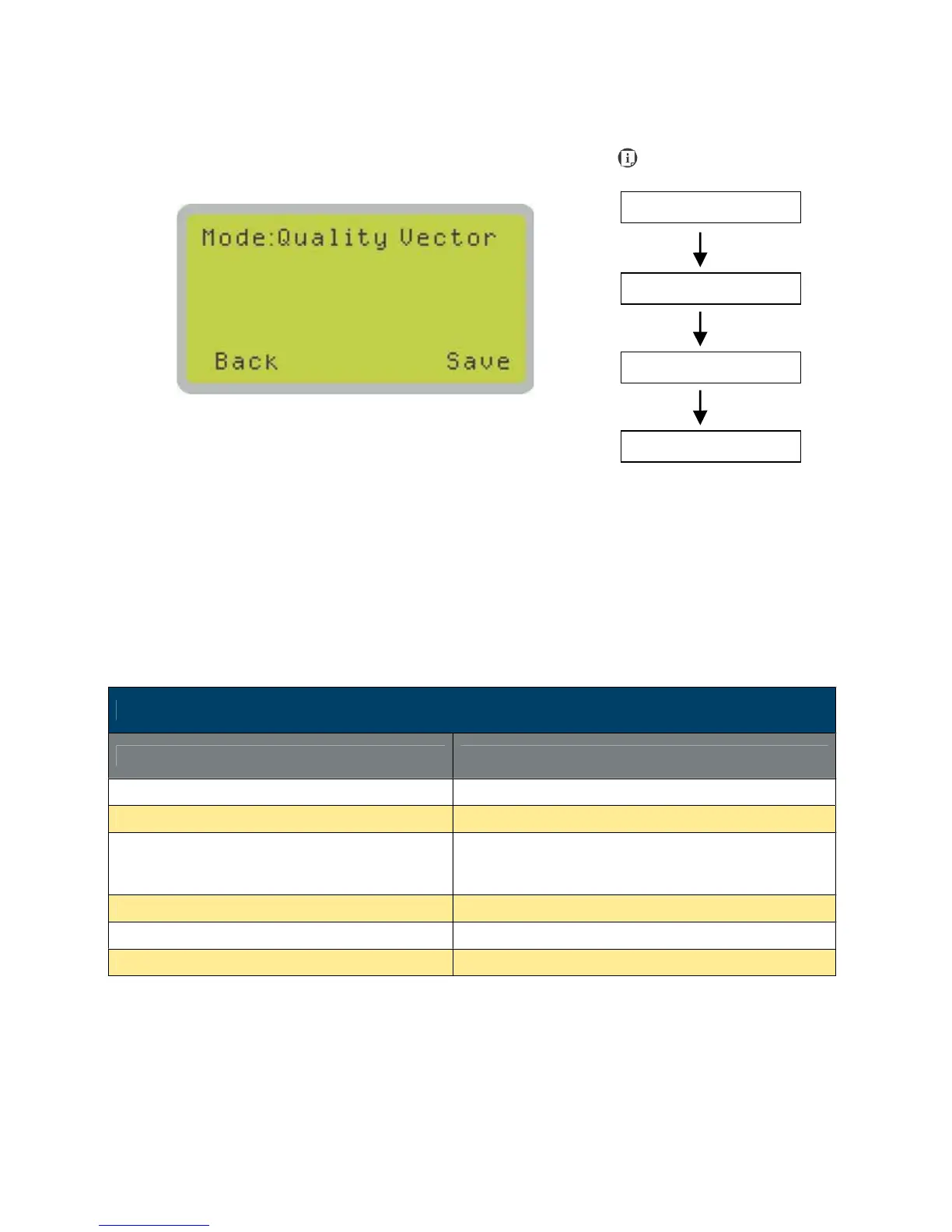
Vector Mode Page
The Set Vector Mode Page allows you to adjust and balance vector mode’s quality and speed
settings based on your specific job. Speedy Vector Mode offers the highest output speed,
sacrificing quality. Whereas Quality Vector Mode offers the highest quality, sacrificing output
speed. Keep in mind that speed and quality are usually at a tradeoff. The system’s default is Fine
Vector mode, sacrificing some speed for higher quality. The LaserPro C180II default setting is
<Fine Vector>.
• Modes: Quality, Production, Speedy
[Slower speeds / higher quality -------------------- Faster speeds / lower quality]
Vector Mode Page
Relevant Buttons Function
F1 (Back) Back to previous page
F4 (Save) Save your current settings
Y / Z Directional
Cycle Set Vector Mode between QUALITY VECTOR/
FINEVECTOR/ COARSE VECTOR/ SPEEDY
VECTOR
Start / Stop Back to Main Work Page
Auto Focus Initiate the auto focus function
S / T Manual Focus Buttons Manually adjust the height of the work table (Z-axis)
Navigating to this page:





 To Next Page