CHAPTER 3: INTERFACES SOFTWARE SETUP
345 TRANSFORMER PROTECTION SYSTEM – INSTRUCTION MANUAL 3–17
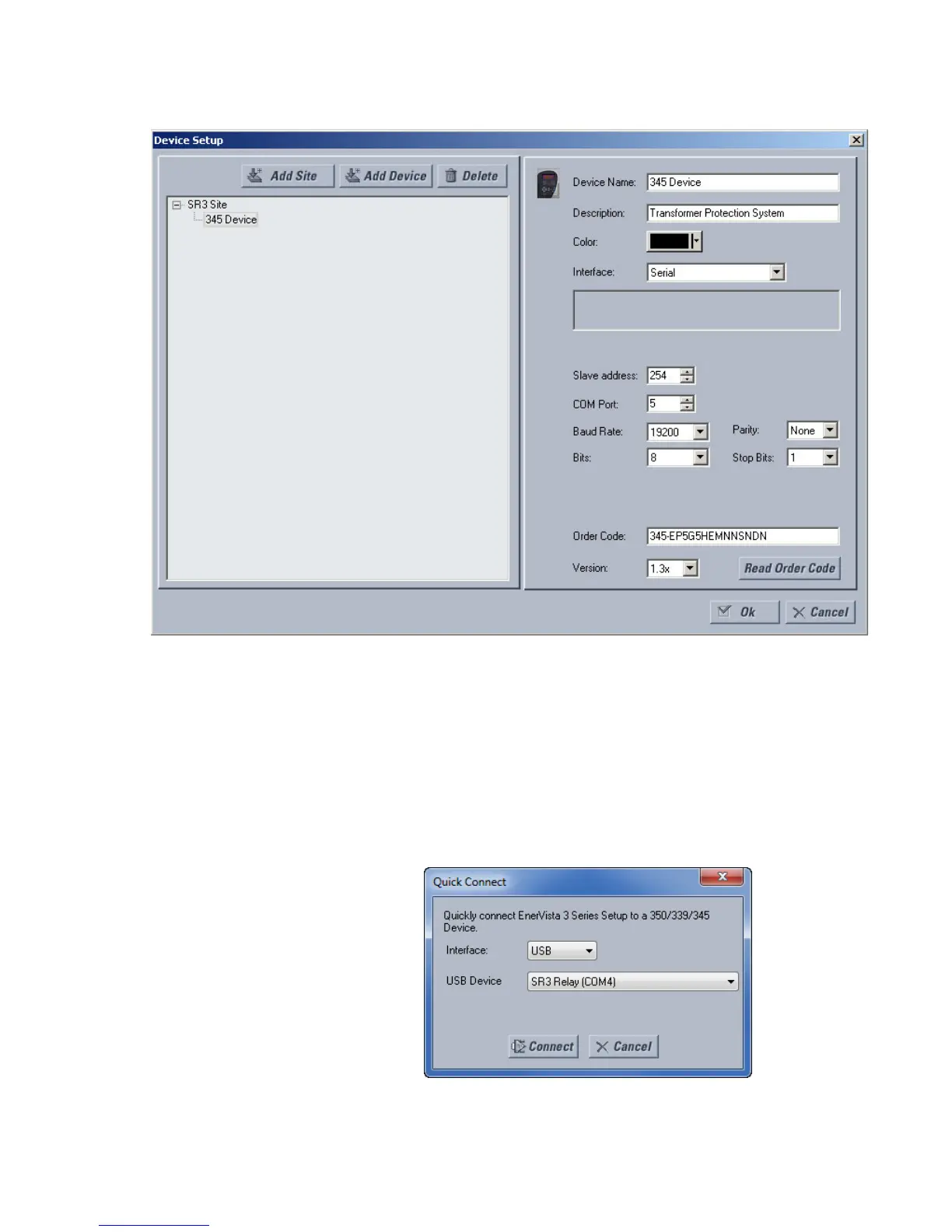
8. Click the Read Order Code button to connect to the 345 device and upload the order
code.
9. Click OK when the relay order code has been received. The new device will be added
to the Site List window (or Online window) located in the top left corner of the main
EnerVista 3 Series Setup window.
The 345 Site Device has now been configured for USB communications. Proceed to
Connecting to the Relay below, to begin communications.
Using the Quick
Connect feature
The Quick Connect button can be used to establish a fast connection through the front
panel USB port of a 345 relay, or through the Ethernet port. The following window will
appear when the QuickConnect button is pressed:



 To Next Page