CHAPTER 8: IEC 61850 THE IEC 61850 CONFIGURATOR
8 SERIES PROTECTIVE RELAY PLATFORM – COMMUNICATIONS GUIDE 8-19
• Dataset sources: Each GOOSE control block can be appended with dataset items in
this screen using a drag and drop operation.
– DataSet Name: The first character in the value of this attribute must be a letter
(upper or lower case). The rest of the characters must be a number, a letter (upper
or lower case) or a “_”. The maximum number of characters allowed is 32.
– Description: The maximum number of characters allowed is 32.
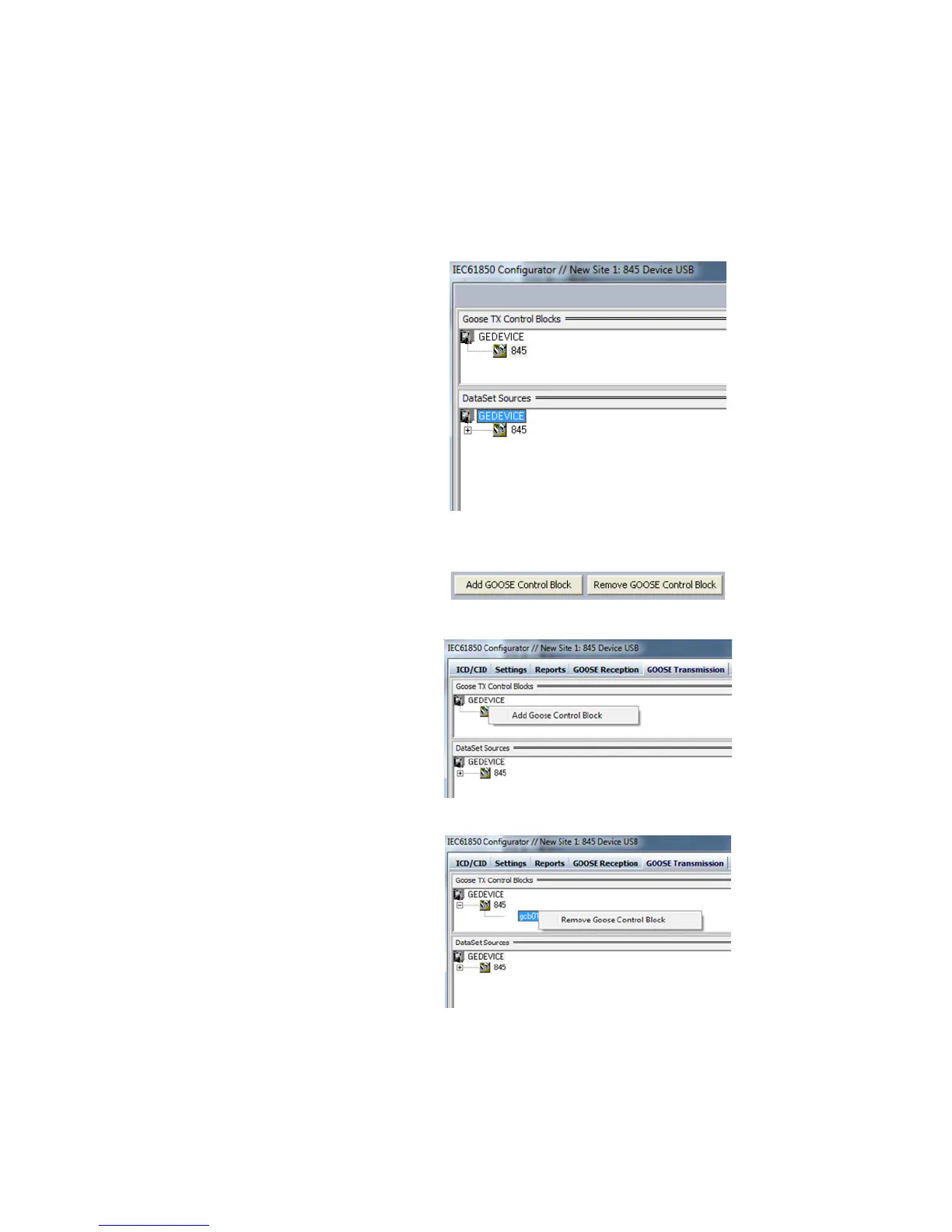
Figure 8-13: Goose TX Control Blocks and DataSet Sources Screen
The following buttons are available in the Goose Transmission window:
• “Add GOOSE Control Block” button and “Remove GOOSE Control Block” button: Both
buttons are in the lower side of the screen.
• Note that a GOOSE Control block can also be added by right clicking on “845” (or your
relay model number) which is under the GEDevice “tree”.
The “Remove Goose Control Block” button deletes a configured existing Goose control
block.



 To Next Page