15
3. To enter and change the area code, press
OPTION button again. The display shows
the stored area code. The left most digit
or a minus sign(-) flashes, indicating it is
ready to accept the area code entry.
4. Press 1-9 on the keypad to enter the
code. If you make a mistake, press
ERASE to clear all 3 digits and re-enter.
5. Press the OPTION button again to store
the area code and return to the
"REGIONAL AC'S-1" display.
H
I •
•
•
O
F
F
R
IN
G
E
R
CO
N
T
R
A
S
T
V
IP
O
P
TIO
N
ST
O
R
E
ER
A
S
E
D
IA
L
R
ED
IA
L
A
B
C
FLA
S
H
Q
U
IC
K
D
IA
L
A
B
C
2
D
E
F
3
1
J
K
L
5
M
N
O
6
G
H
I
4
T
U
V
8
W
X
Y
Z
9
P
Q
R
S
7
O
P
E
R
0
#
T
O
N
E
*
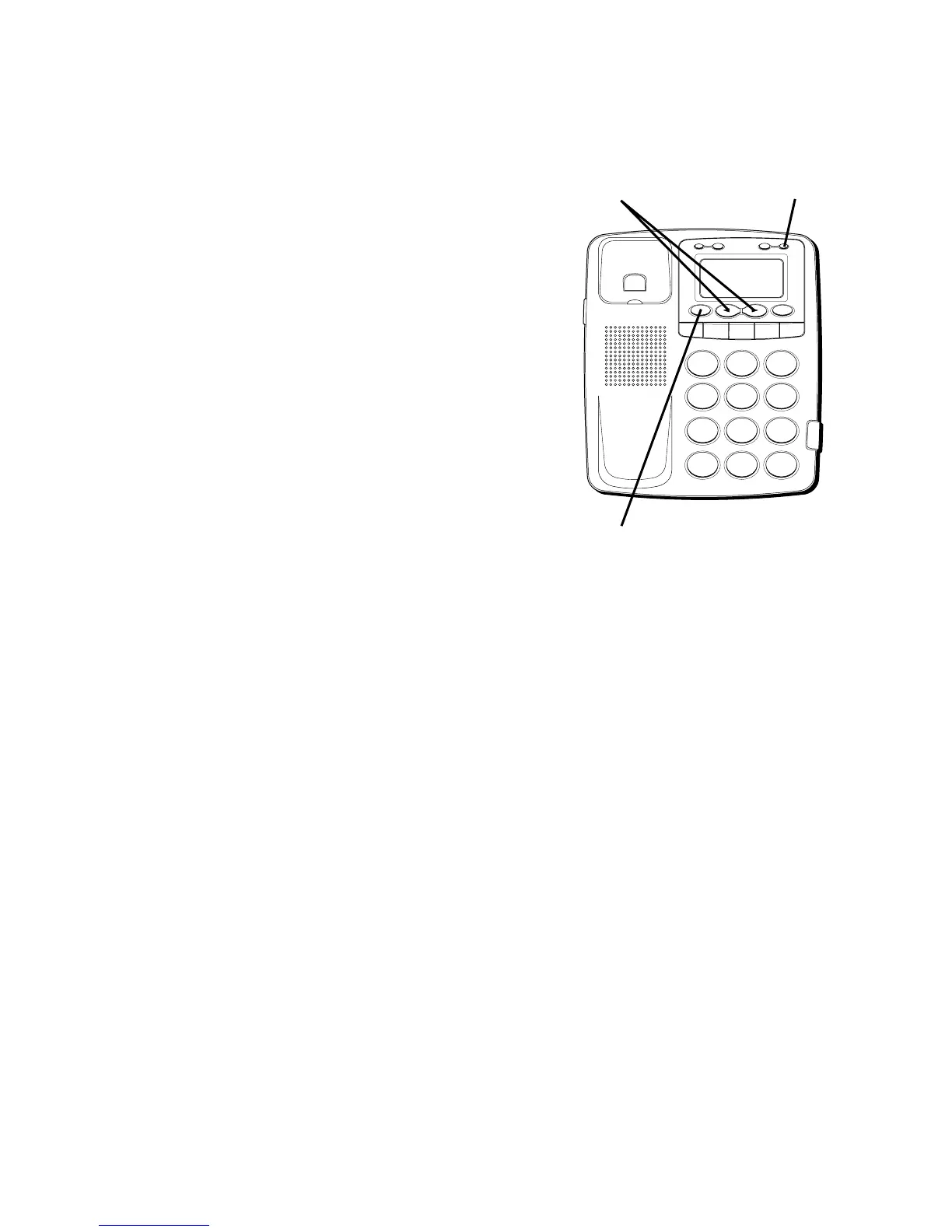
OPTION button
REVIEW buttons
ERASE button



 To Next Page