12
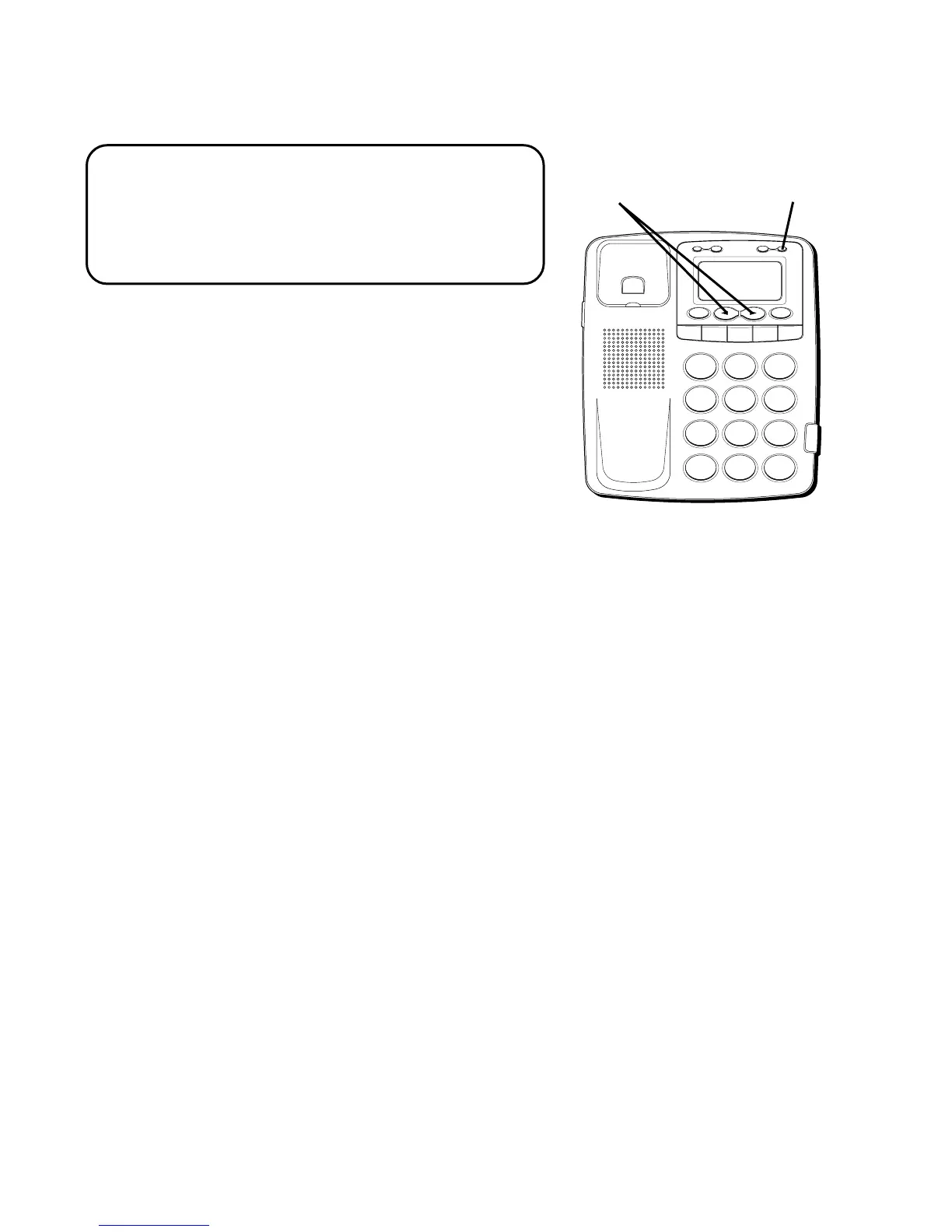
SETTING UP THE CALLER ID MENU
NOTE: You should not plug the telephone
into the modular jack while setting up the
Caller ID menu. An incoming call may
invalidate your selection if it was not yet
saved.
1. Press the OPTION button.
SET
OR
appears in the display.
2. Press the REVIEW
(
OR
)
button to
scroll through the 5 menu screens, which
are:
•# 1
SET
OR
•# 2
LOCAL AREA CODE
(default - - -)
•# 3
REGIONAL AC’S
– 1 (six Regional Area
Codes can be set and all default - - -)
•# 4
SELECT LANGUAGE
(default English)
•# 5
EXIT SET UP
3. You have 10 seconds following an entry
before the phone returns to the
Summary Screen, or you can press
FLASH to exit the set up menu.
H
I • •
•
O
F
F
R
IN
G
E
R
CO
N
T
R
A
S
T
V
IP
O
P
TIO
N
S
TO
R
E
ER
A
S
E
D
IA
L
R
ED
IA
L
A
B
C
FLA
S
H
Q
U
IC
K
D
IA
L
A
B
C
2
D
E
F
3
1
J
K
L
5
M
N
O
6
G
H
I
4
T
U
V
8
W
X
Y
Z
9
P
Q
R
S
7
O
P
E
R
0
#
T
O
N
E
*
OPTION button
REVIEW buttons



 To Next Page