36
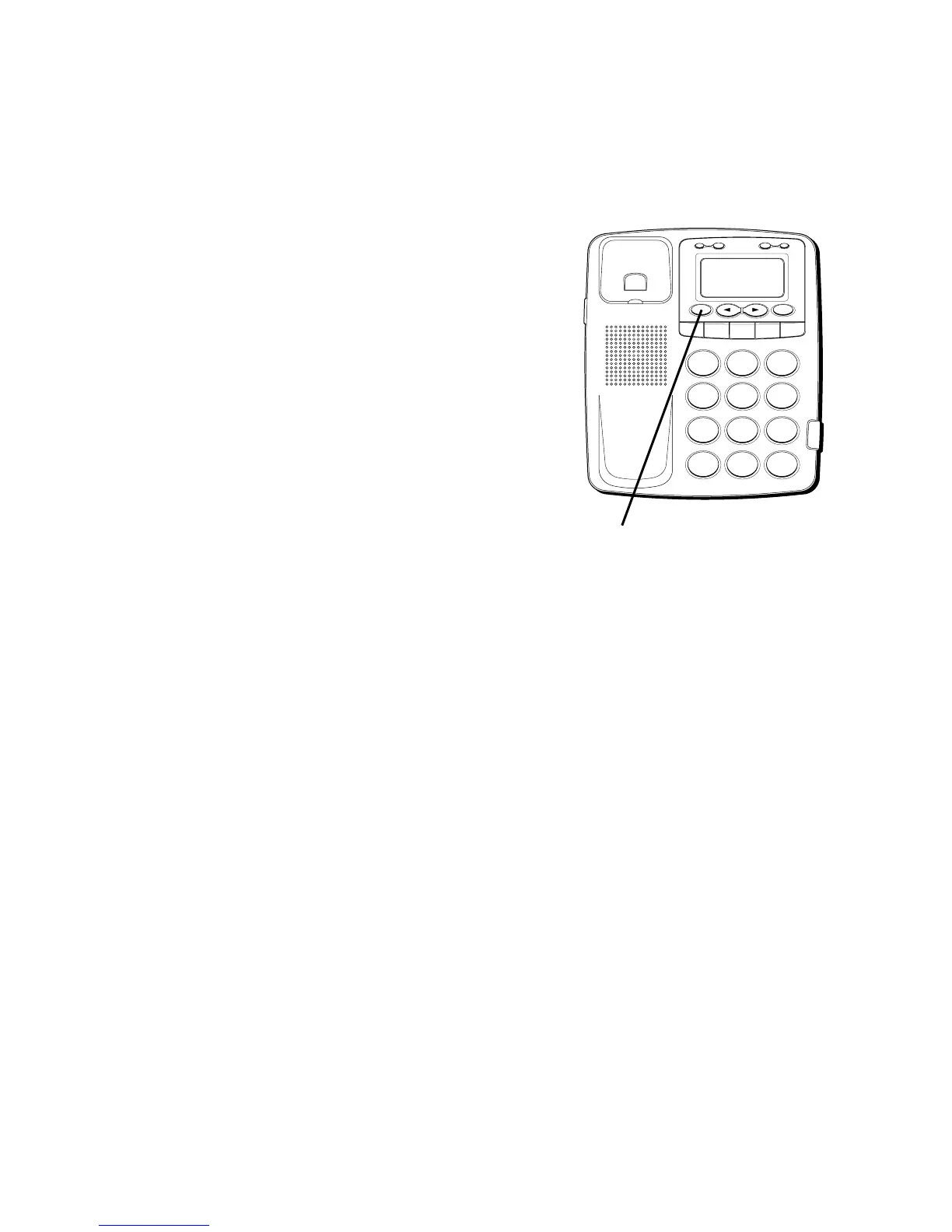
CHANGING A STORED NUMBER
Repeat the storage sequence. The new
number replaces the old number at the
memory location.
ERASING A STORED NUMBER
1. Press STORE to go to review mode.
2. Press ERASE to erase the number. Press
and hold the ERASE button for 3
seconds. The memory location will be
cleared.
H
I •
•
•
O
F
F
R
IN
G
E
R
C
O
N
T
R
A
ST
V
IP
O
P
TIO
N
S
TO
R
E
ER
A
S
E
D
IA
L
R
ED
IA
L
A
B
C
FLA
S
H
Q
U
IC
K
D
IA
L
A
B
C
2
D
E
F
3
1
J
K
L
5
M
N
O
6
G
H
I
4
T
U
V
8
W
X
Y
Z
9
P
Q
R
S
7
O
P
E
R
0
#
T
O
N
E
*
ERASE button



 To Next Page