38
COPY REDIAL MEMORY TO
USER MEMORY
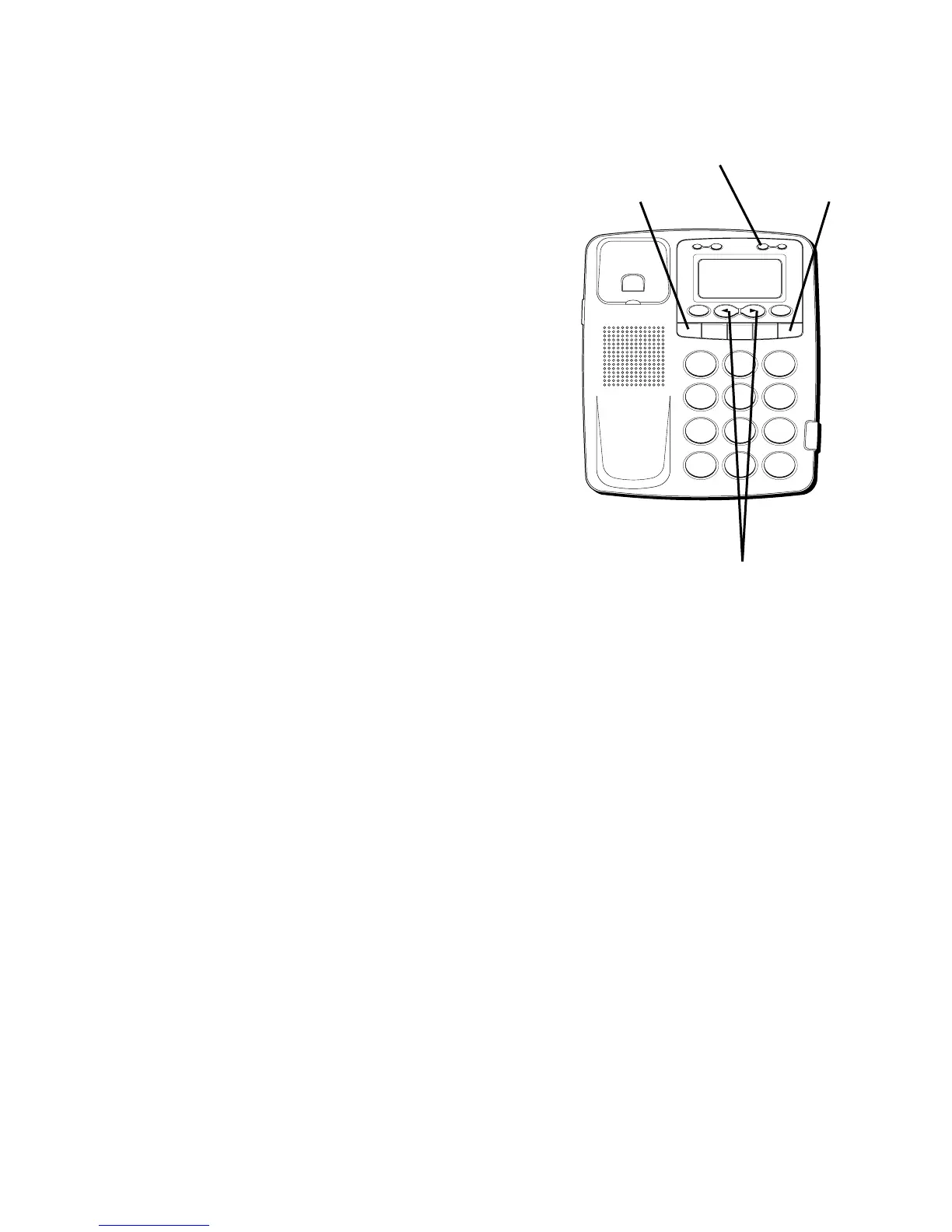
1. Press REDIAL while the handset is on the
cradle.
2. Press STORE.
3. Press 0-9, A, B or C for the memory
location. The display will flash if the
memory location is occupied. Press
REVIEW
(
OR
)
to select a different
location. Press FLASH or the hook switch
to exit.
H
I
•
•
•
O
F
F
R
I
N
G
E
R
C
O
N
TR
A
S
T
V
IP
O
P
T
IO
N
S
TO
R
E
ER
A
S
E
D
IA
L
R
E
D
IA
L
A
B
C
FLA
SH
Q
U
ICK
D
IA
L
A
B
C
2
D
E
F
3
1
J
K
L
5
M
N
O
6
G
H
I
4
T
U
V
8
W
X
Y
Z
9
P
Q
R
S
7
O
P
E
R
0
#
T
O
N
E
*
FLASH button
STORE button
REDIAL button
REVIEW buttons



 To Next Page