28
PLACING A PHONE CALL
1. Lift the handset and wait for a dial tone.
2. Dial the telephone number you wish to
call.
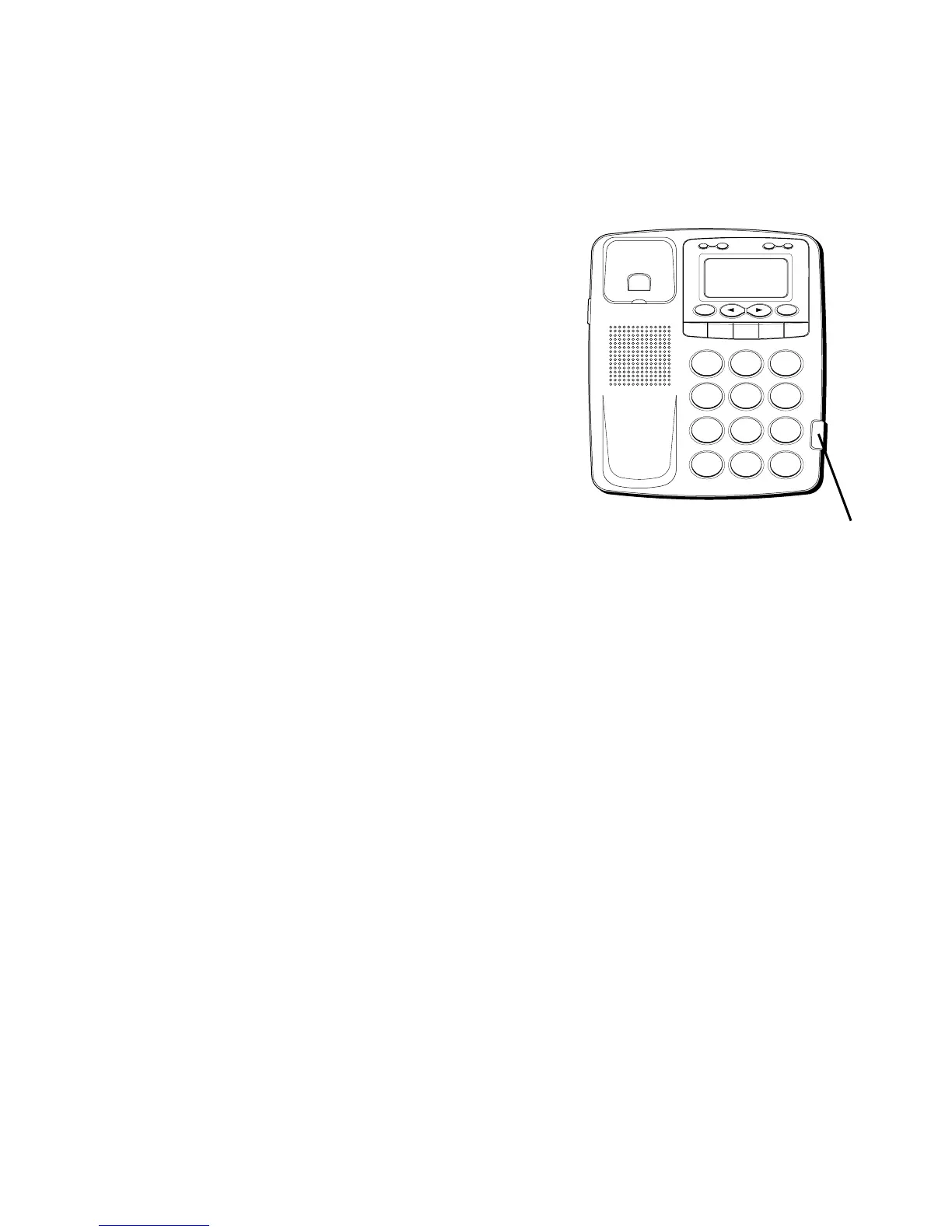
3. You can adjust the volume of the caller’s
voice by sliding the Receiver volume
switch.
TEMPORARY TONE DIALING
If you have pulse service, you can
temporarily change from pulse to tone
service. After dialing the telephone number,
press and release the * button on the
telephone. After a brief pause, the phone
will dial the tone digits. This allows access
to phone services that require a tone, such
as banking and long-distance services. After
you hang up the handset, the telephone
automatically returns to pulse service.
H
I
•
•
•
O
F
F
R
IN
G
E
R
C
O
N
TR
A
S
T
V
IP
O
P
T
IO
N
S
TO
R
E
ER
A
S
E
D
IA
L
R
E
D
IA
L
A
B
C
FLA
SH
Q
U
ICK
D
IA
L
A
B
C
2
D
E
F
3
1
J
K
L
5
M
N
O
6
G
H
I
4
T
U
V
8
W
X
Y
Z
9
P
Q
R
S
7
O
P
E
R
0
#
T
O
N
E
*
Receiver volume switch



 To Next Page