EasyManua.ls Logo

GE 29269 - Storing a VIP Caller Number; Removing a VIP Caller Number

GE 29269
96 pages
Print Icon
To Next Page IconTo Next Page
To Previous Page IconTo Previous Page
Loading...
25
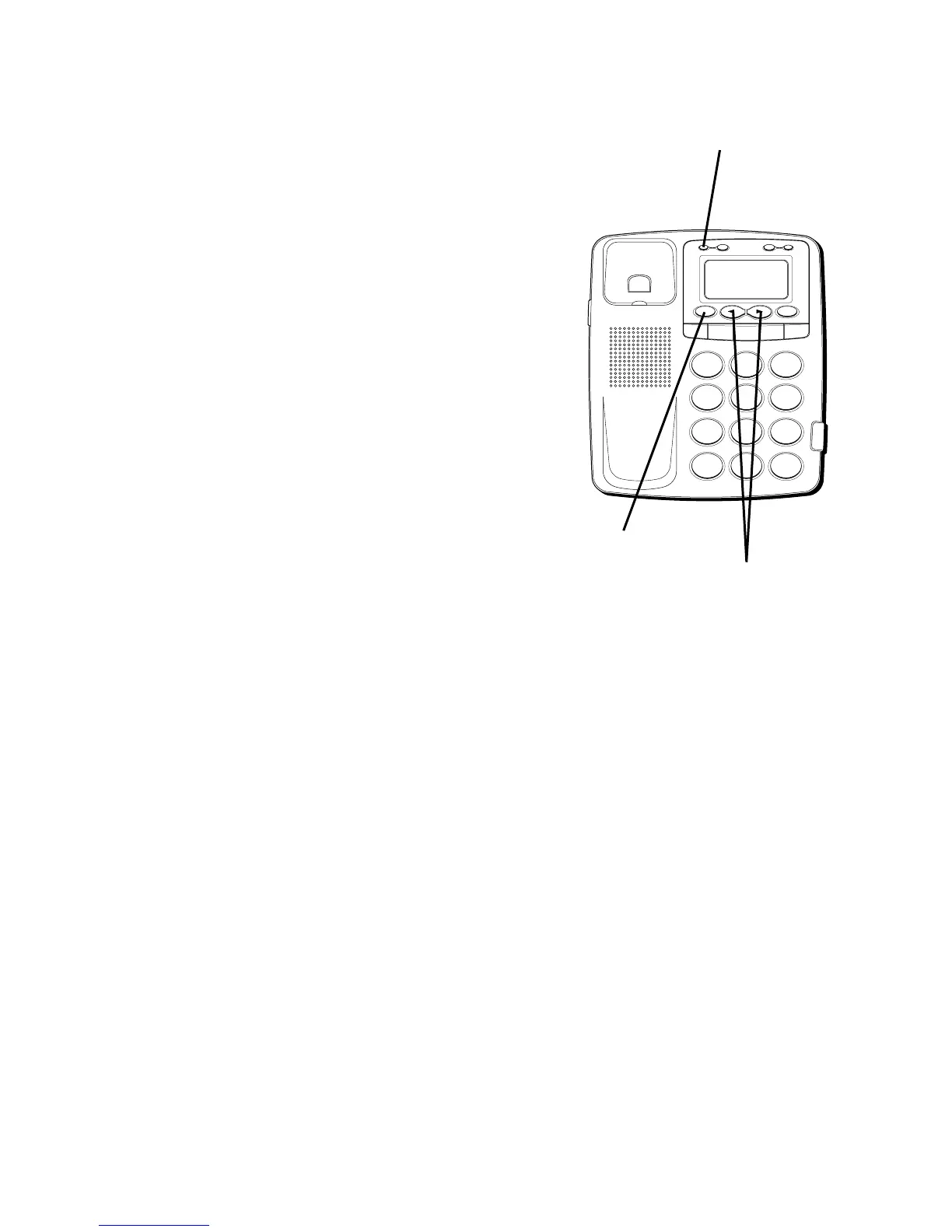
STORING A VIP NUMBER IN
MEMORY
1. Use the REVIEW
(
OR
)
buttons to
scroll to the Caller ID record you want to
store as VIP.
2. Press VIP. The VIP icon is displayed.
REMOVING A VIP NUMBER
1. Use the REVIEW
(
OR
)
buttons to
scroll to the VIP record you want to
remove.
2. Press the VIP button. The VIP icon is
removed.
3. Press ERASE. The number is erased.
H
I •
O
F
F
R
IN
G
E
R
C
O
N
TR
A
S
T
V
IP
O
P
TIO
N
S
TO
R
E
ER
A
S
E
D
IA
L
R
E
D
IA
L
A
B
C
FLA
S
H
Q
U
IC
K
D
IA
L
A
B
C
2
D
E
F
3
1
J
K
L
5
M
N
O
6
G
H
I
4
T
U
V
8
W
X
Y
Z
9
P
Q
R
S
7
O
P
E
R
0
#
T
O
N
E
*
VIP button
REVIEW buttons
ERASE button

Table of Contents

Related product manuals