33
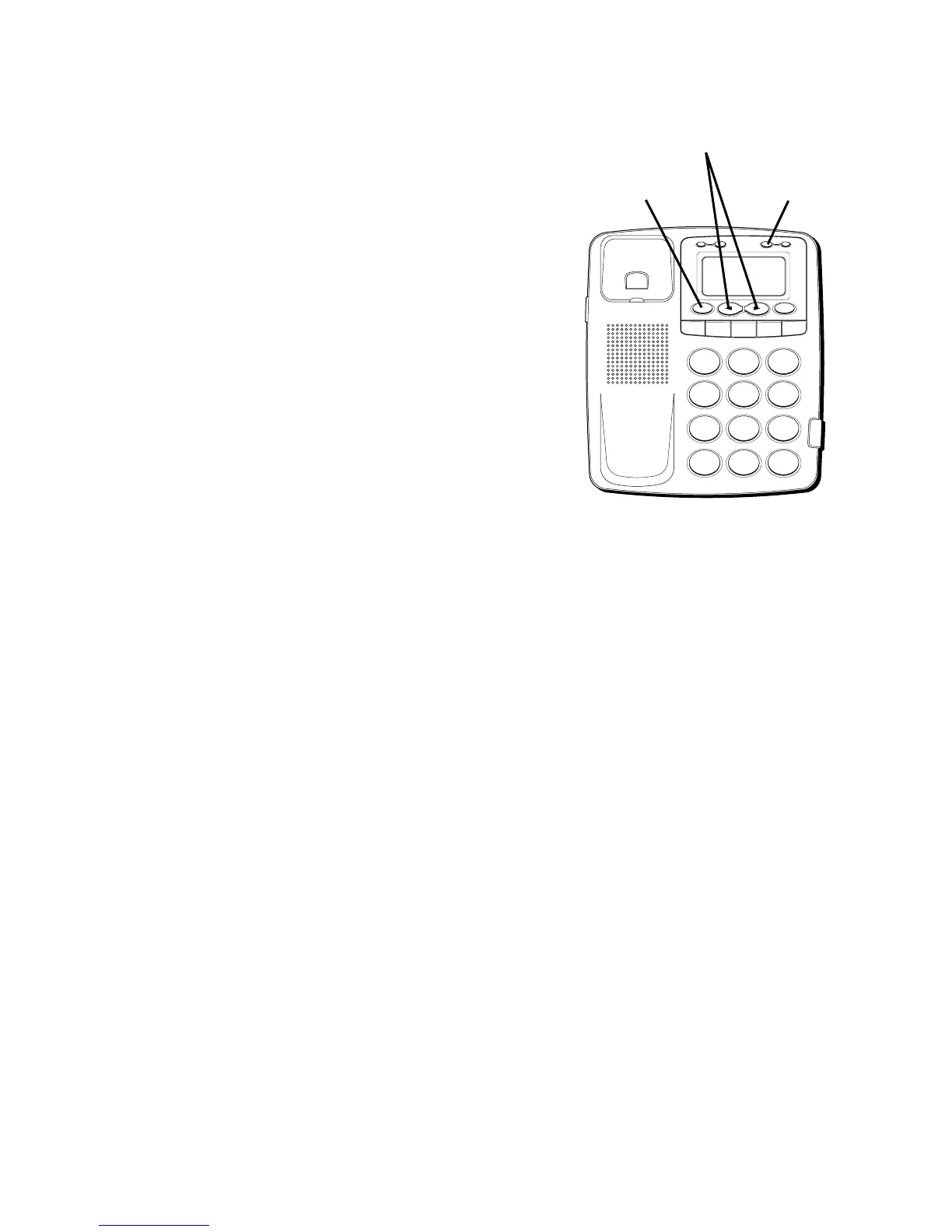
4. Use the keypad to enter the area code
followed by the telephone number (up to
32 digits). If you make a mistake, use the
ERASE button to delete wrong digits.
5. Press STORE button again to save the
number. The cursor will flash on the
name line.
6. Use the keypad to store a name (up to 13
characters). More than one letter is
stored in each of the number keys. For
example, to enter Bill Smith, press the 2
key twice for the letter B. Press the 4 key
3 times for the letter I. Press the 5 key 3
times for the letter L and either press the
button to advance the flashing cursor
to the next entry point, or wait 2 seconds
until the flashing cursor automatically
moves to the next entry point. Press the
5 key 3 times for the second letter L, and
H
I •
•
•
O
F
F
R
I
N
G
E
R
C
O
N
T
R
A
ST
V
IP
O
P
TIO
N
ST
O
R
E
ER
A
S
E
D
IA
L
R
ED
IA
L
A
B
C
FLA
S
H
Q
U
IC
K
D
IA
L
A
B
C
2
D
E
F
3
1
J
K
L
5
M
N
O
6
G
H
I
4
T
U
V
8
W
X
Y
Z
9
P
Q
R
S
7
O
P
E
R
0
#
T
O
N
E
*
STORE button
ERASE button
ARROW buttons



 To Next Page