4–20 745 TRANSFORMER PROTECTION SYSTEM – INSTRUCTION MANUAL
WORKING WITH SETPOINTS AND SETPOINT FILES CHAPTER 4: INTERFACES
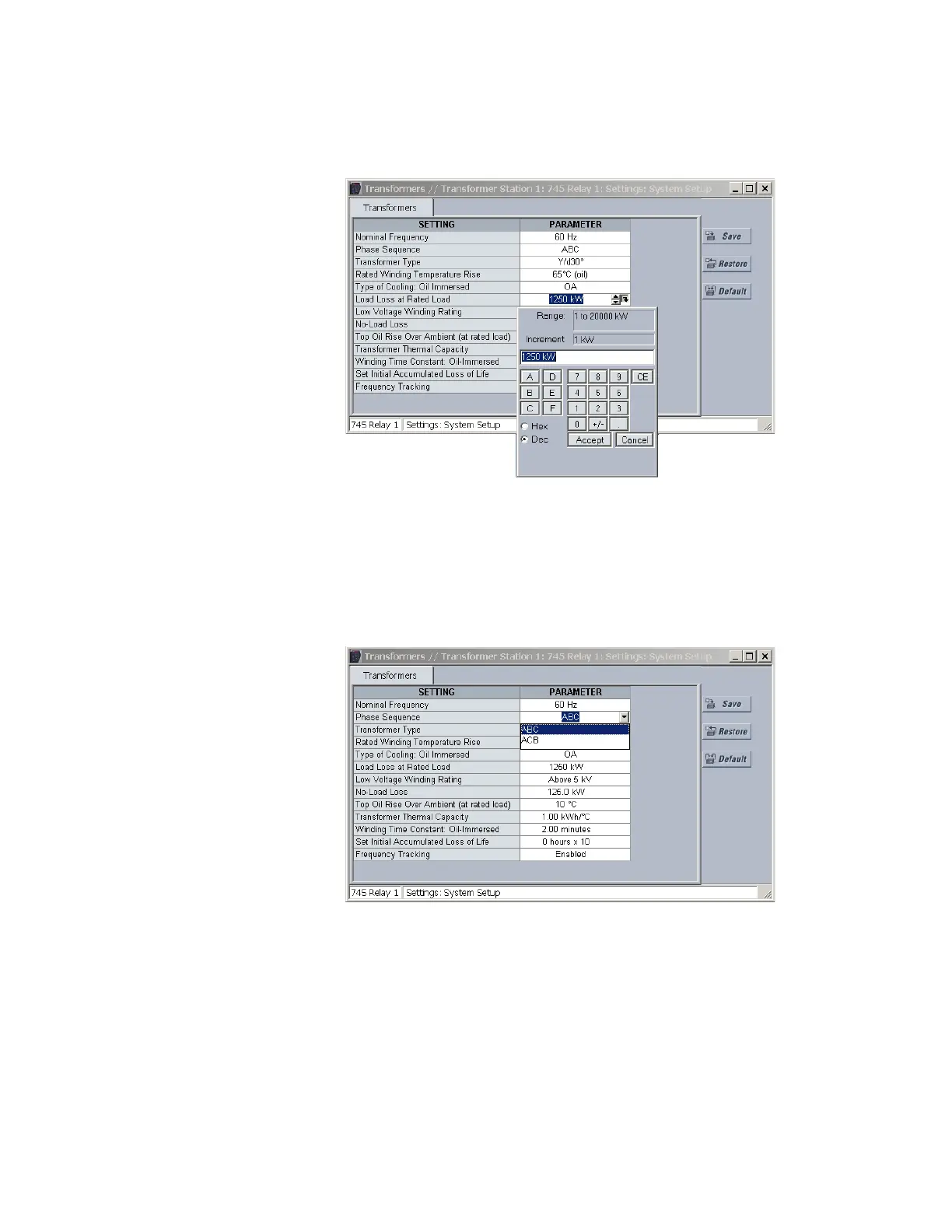
Click the arrow at the end of the box to display a numerical keypad
interface that allows the user to enter a value within the setpoint range
displayed near the top of the keypad:
Click Accept to exit from the keypad and keep the new value.
Click on Cancel to exit from the keypad and retain the old value.
For setpoints requiring non-numerical pre-set values (e.g.
PHASE SEQUENCE),
Click anywhere within the setpoint value box to display a drop-down
selection menu arrow.
Click on the arrow to select the desired setpoint.
For setpoints requiring an alphanumeric text string (e.g. message scratchpad messages),
Enter the value directly within the setpoint value box.
In any settings window, click on Save to save the values into the 745.
Click Ye s to accept any changes.
Click No, and then Restore to retain previous values and exit.



 To Next Page