CHAPTER 4: INTERFACES WORKING WITH SETPOINTS AND SETPOINT FILES
745 TRANSFORMER PROTECTION SYSTEM – INSTRUCTION MANUAL 4–19
4.4 Working with Setpoints and Setpoint Files
4.4.1 Engaging a Device
The EnerVista 745 Setup software may be used in on-line mode (relay connected) to
directly communicate with a 745 relay. Communicating relays are organized and grouped
by communication interfaces and into sites.
4.4.2 Entering Setpoints
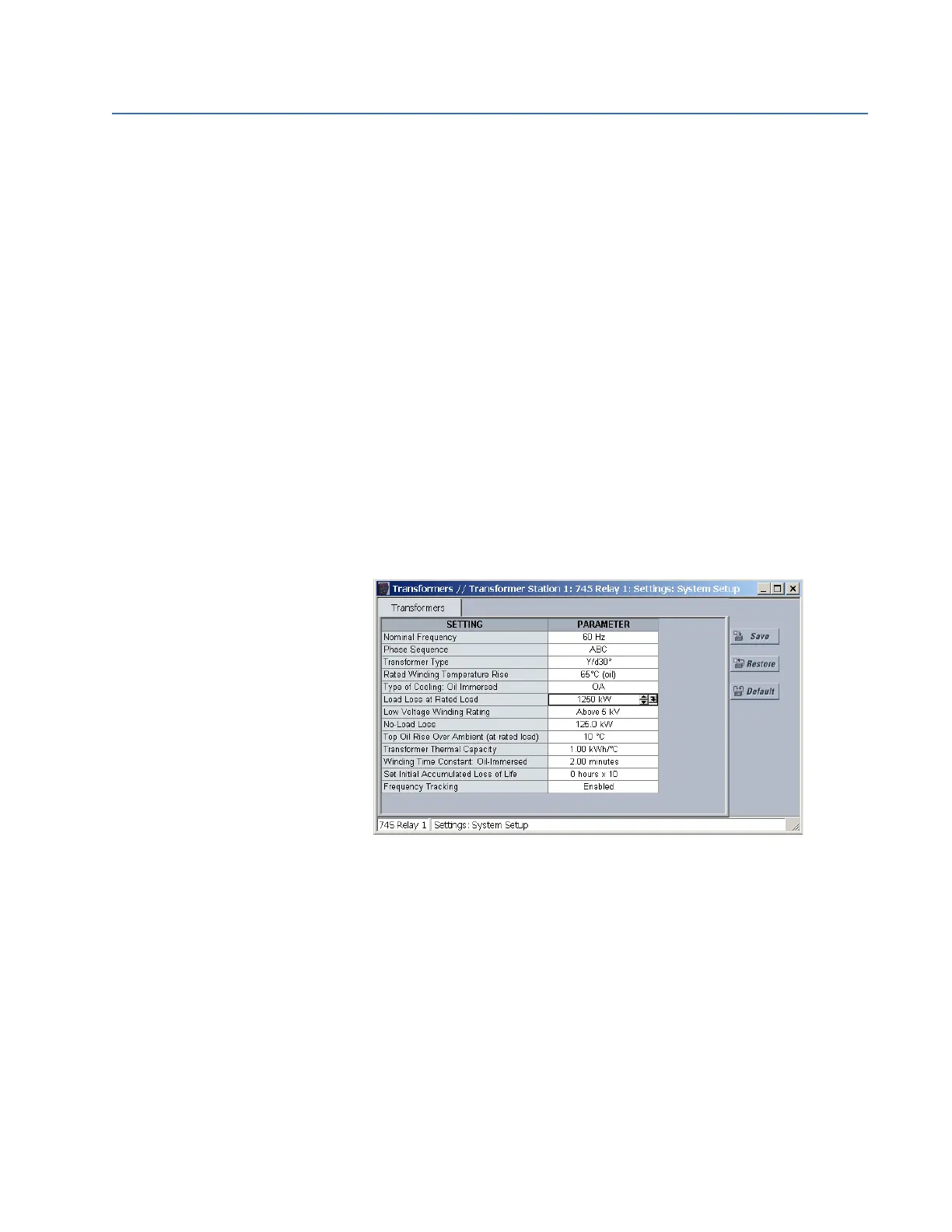
The system setup page will be used as an example to illustrate the entering of setpoints. In
this example, we will be changing the current sensing setpoints.
Establish communications with the relay.
Select the Setpoint > System Setup > Transformer menu item.
This can be selected from the device setpoint tree or the main window
menu bar.
Select the
LOAD LOSS AT RATED LOAD setpoint by clicking anywhere in
the parameter box.
This will display three arrows: two to increment/decrement the value
and another to launch the numerical calculator.



 To Next Page