4–30 745 TRANSFORMER PROTECTION SYSTEM – INSTRUCTION MANUAL
ADVANCED ENERVISTA 745 SETUP FEATURES CHAPTER 4: INTERFACES
4.6 Advanced EnerVista 745 Setup Features
4.6.1 Triggered Events
While the interface is in either on-line or off-line mode, data generated by triggered
specified parameters can be viewed and analyzed via one of the following:
• Event recorder: The event recorder captures contextual data associated with the
last 256 events, listed in chronological order from most recent to the oldest.
• Oscillography: The oscillography waveform traces and digital states provide a
visual display of power system and relay operation data captured during specific
triggered events.
4.6.2 Waveform Capture (trace memory)
The EnerVista 745 Setup software can be used to capture waveforms (or view trace
memory) from the 745 relay at the instance of a trip. A maximum of 32 waveforms can be
buffered (stored) with the buffer/cycle trade-off.
The following waveforms can be captured:
• Phase A, B, and C currents (I
a
, I
b
, and I
c
)
• Differential A, B, and C currents (I
diffa
, I
diffb
, and I
diffc
)
• Ground currents (I
g
)
• Phase A-N, B-N, and C-N voltages (V
a
, V
b
, and V
c
)
• Digital data for output relays and contact input states
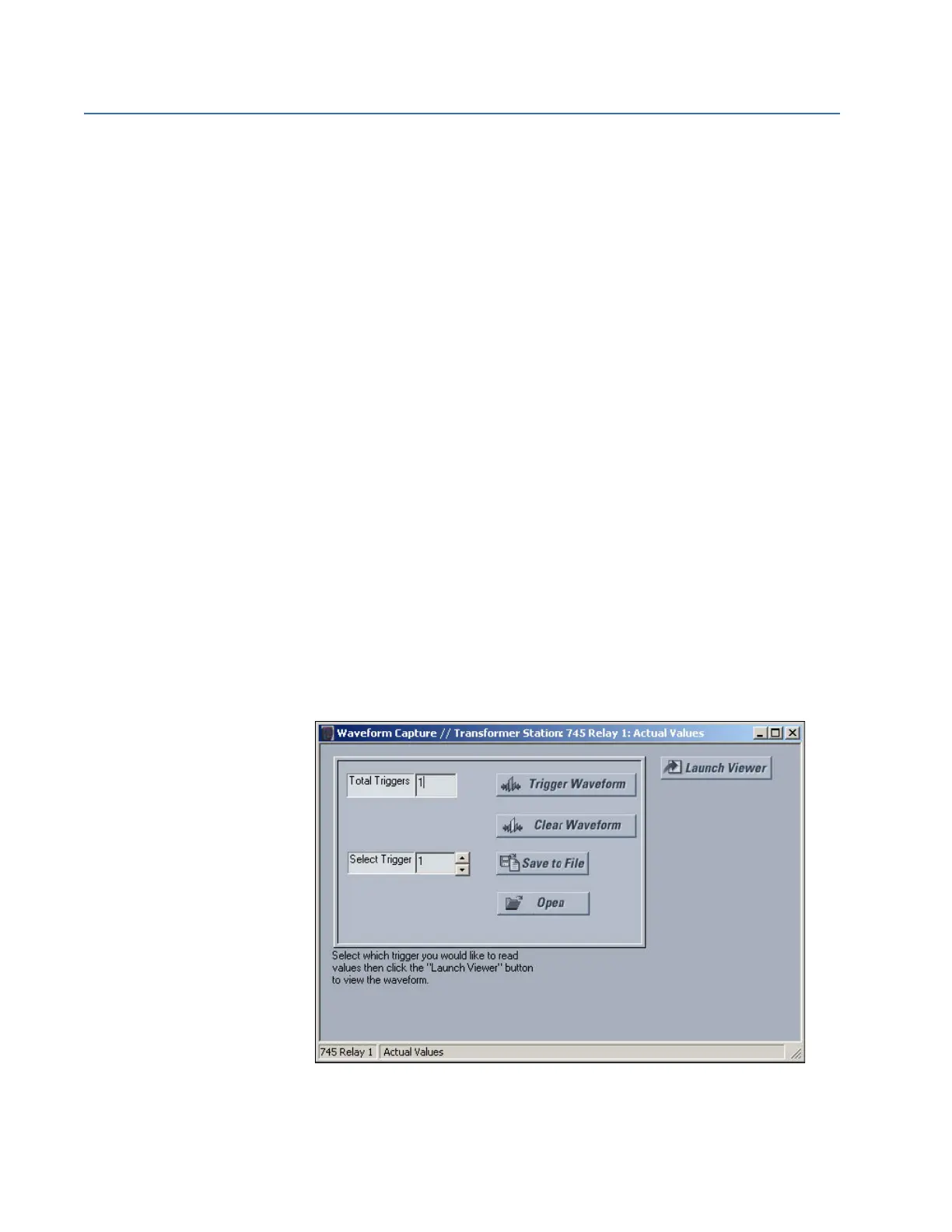
With EnerVista 745 Setup running and communications established,
select the Actual > Waveform Capture menu item to open the
waveform capture setup window:
Click on Trigger Waveform to trigger a waveform capture.



 To Next Page