2929
$GYDQFHGIXQFWLRQPHQXTXLFNPHQXVHWXS
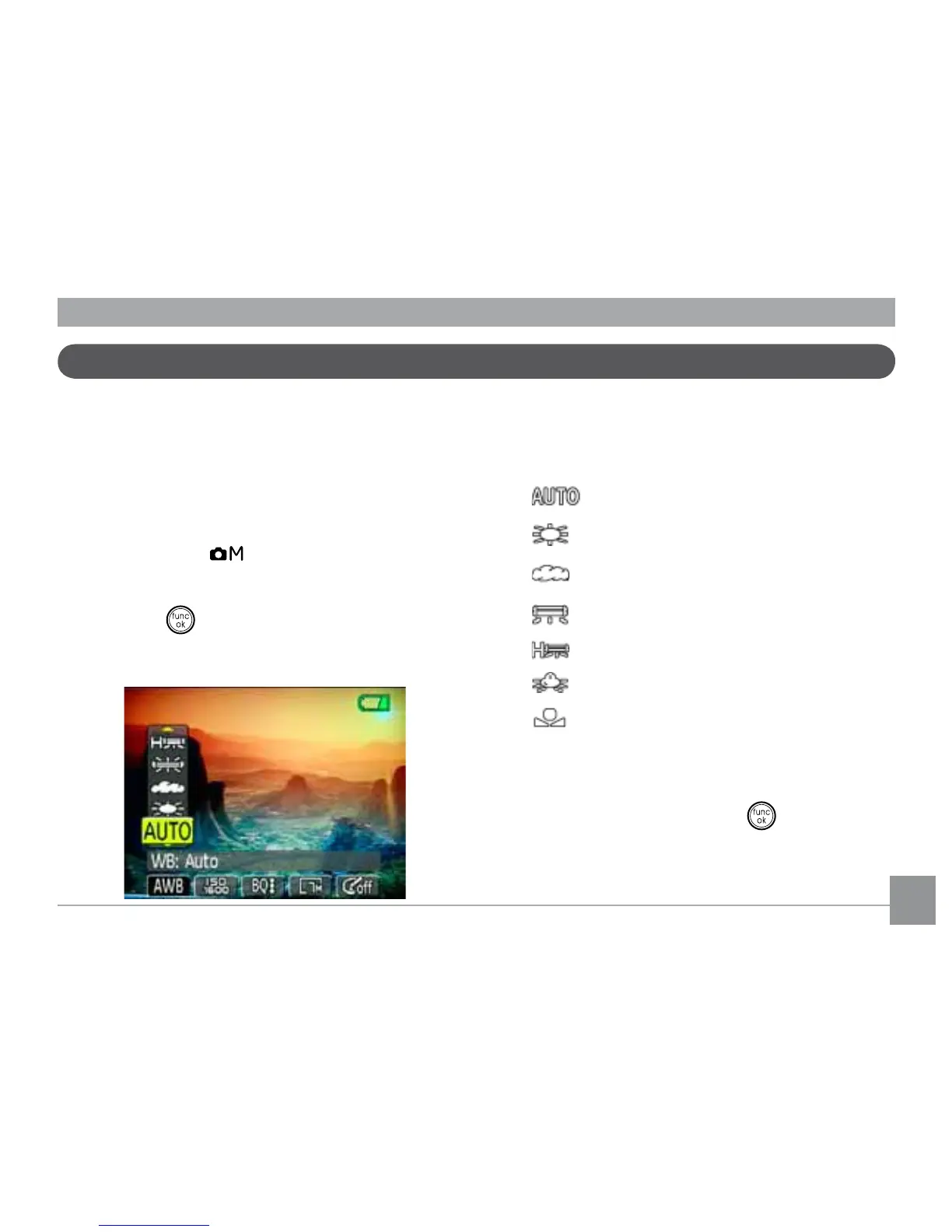
WB (White Balance)
The white balance allows the user to adjust
WKHFRORUWHPSHUDWXUHXQGHUGLȖHUHQWOLJKW
source to ensure faithful color reproduction.
(The WB setting is only available when the
camera is in the
Manual mode).
To set the white balance, do the following:
1. Press the
button to enter the Function
PHQX0DNHVXUHWKHWB function is
selected.
2. Use Up/Down navigation buttons to
select the setting you want. The following
options are available:
•
Auto
•
Daylight
•
Cloudy
•
Fluorescent
•
Fluorescent CWF
•
Incandescent
•
Manual WB adjustment (press the
menu button to set)
3. Use the Left/Right buttons to select
other options, or press the
button
RQFHWRFRQ½UP\RXUVHOHFWLRQDQGH[LWWKH
current menu.



 To Next Page