– 47 –
Note:
• The display error codes test allows the service technician to examine and clear the fault log.
• The control will display the most recent error in the fault log upon entry into the display error codes test.
If there are no errors in the fault log, the E00 code will be displayed on the display.
• The control will clear the displayed error from the fault log if the START/PAUSE key is pressed during the
display error codes test. After clearing the displayed error from the fault log, the dryer will display the
next most recent error from the fault log.
• After clearing all errors from the fault log, the control will display the E00 code on the display.
• The control will log the last 8 error codes in the memory stored in the control.
• The control will avoid logging multiple instances of the same error code.
(Continued Next Page)
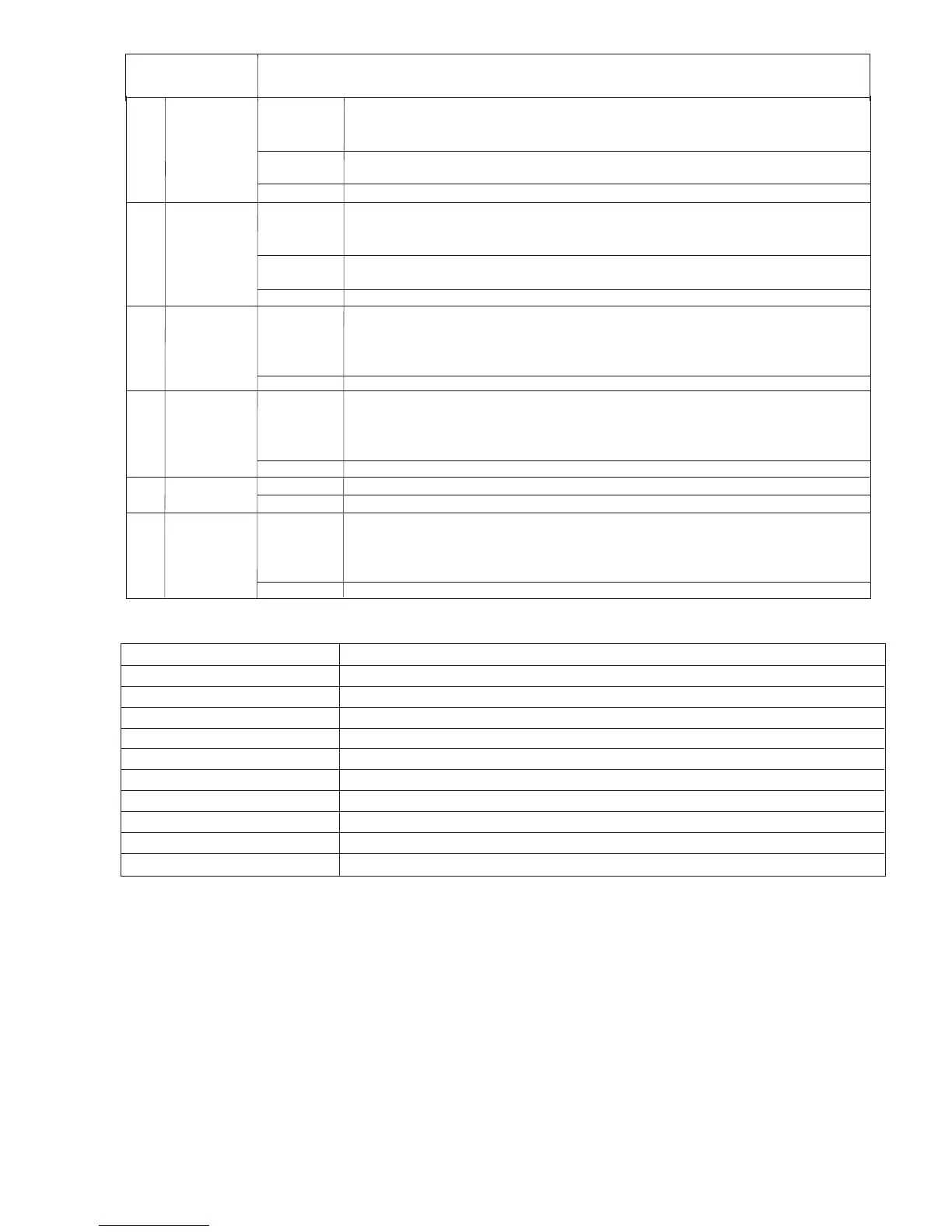
E1-Interface EEPROM
Reading or writing improperly. Replace UI board.
E2-Power EEPROM
Reading or writing improperly. Replace power board.
E3-Inlet Short
Check and replace inlet thermistor if necessary.
E7- Check Electrical Connection
Please check power connections.
E4-Inlet Open
E5-Outlet Short
E6-Outlet Open
E8- Power Model
Check model selector on power board.
E11- Drum Motor
Motor is not rotating properly or centrifugal switch is bad. Please check.
E14- Stuck Button
Stuck keys. Please check
Error codes
Error Code
Description
Check and replace inlet thermistor if necessary.
Check and replace outlet thermistor if necessary.
Check and replace outlet thermistor if necessary.
SERVICE MODE
TEST
SEQUENCE
T03
Eeprom check
Start/Pause
Knob
Power
On Entry - The UI and MC board will test their respective Eeproms.
When the UI and MC have finished, “UIP” will be displayed on the SSD if the UI passed, or
“UIF” if the UI Eeprom test failed.
Turn the knob - “PBP” will be displayed on the 7-segment LEDs if the MC passed, or “PBF” if
the MC Eeprom test failed.
Returns to service mode screen
T04
UI test
Start/Pause
Any button
but power
Power
The control shall turn on all LED’s around the dial, the “Power”, and “Start/Pause” button
LED’s, but not the SSD for a duration of 5 seconds.
The control shall then turn off all LED’s and then turn on the SSD.
The control shall sound a Beep as long as a key is pressed.
Returns to service mode screen
T05
Outlet
Thermistor
Start/Pause
Power
The control shall display the Outlet Thermistor temperature in degrees Fahrenheit on the
SSD during the test.
The control shall start the drum motor and turn on the inner and outer coils for Electric
models, and the gas valve for Gas models.
Returns to service mode screen
T06
Inlet
Thermistor
Start/Pause
Power
The control shall display the Inlet Thermistor temperature in degrees Fahrenheit on the
SSD throughout the duration of the test.
The control shall start the drum motor and turn on the inner coil for Electric models, and the
gas valve for Gas models.
Returns to service mode screen
T07
Moisture
Sensor
Power
The control shall display the voltage read from the moisture sensor in volts on the SSD
Returns to service mode screen
T08
Steam test
Start/Pause
Power
Upon entry, control shall display “STE” on the SSD during the steam test.
The steam test shall rotate the drum with the standard profile.
Five seconds after enabling the drum motor, the control shall enable power to the steam
generator throughout the remainder of the test.
Returns to service mode screen



 To Next Page