GE COMPANY
D
IRECTION 5745295-1EN, REVISION 1 OPTIMA CT520 DOD IB UPGRADE INSTRUCTION
Page 20 Chapter 2 - Upgrade Procedure
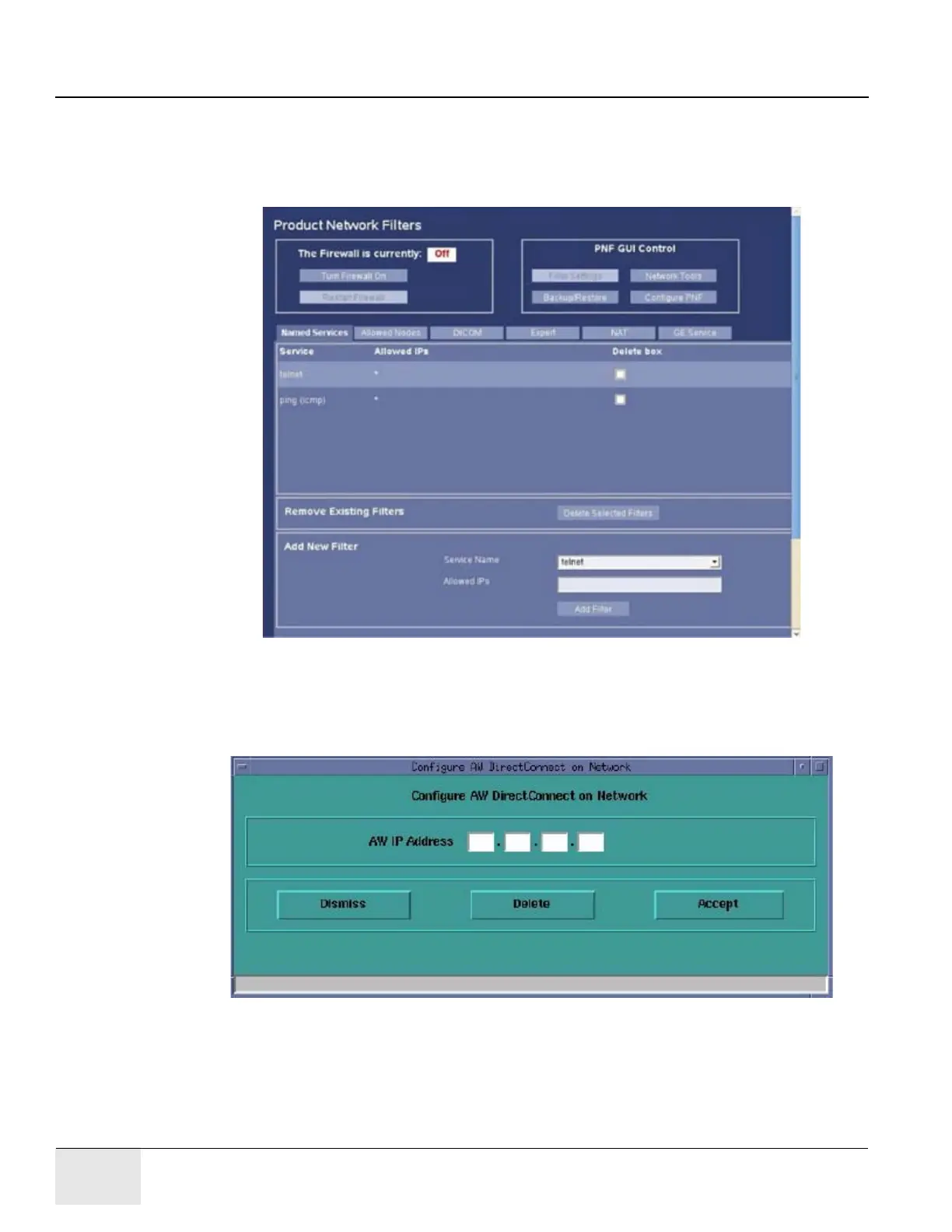
1.1.2 Record Product Network Filters (PNF) Information
1.) Select [Service] from the desktop.
2.) Select in sequence: Configuration -> Configure PNF.
3.) Record PNF information.
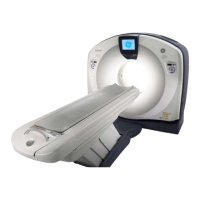
1.1.3 Record AW IP for Direct Information
1.) Select [Service] from the desktop.
2.) Select in sequence: Configuration -> Configure AW DirectConnect and record AW IP address.





 To Next Page