GE COMPANY
D
IRECTION 5745295-1EN, REVISION 1 OPTIMA CT520 DOD IB UPGRADE INSTRUCTION
Page 26 Chapter 2 - Upgrade Procedure
2.2.2 Unpack NIO16 Console with Z820 PC
Please read details about NIO16 installation procedure in Service Manuals.
1.) Unpack console packaging.
a.) Remove all items from the console.
b.) Remove all packaging and discard per local requirement.
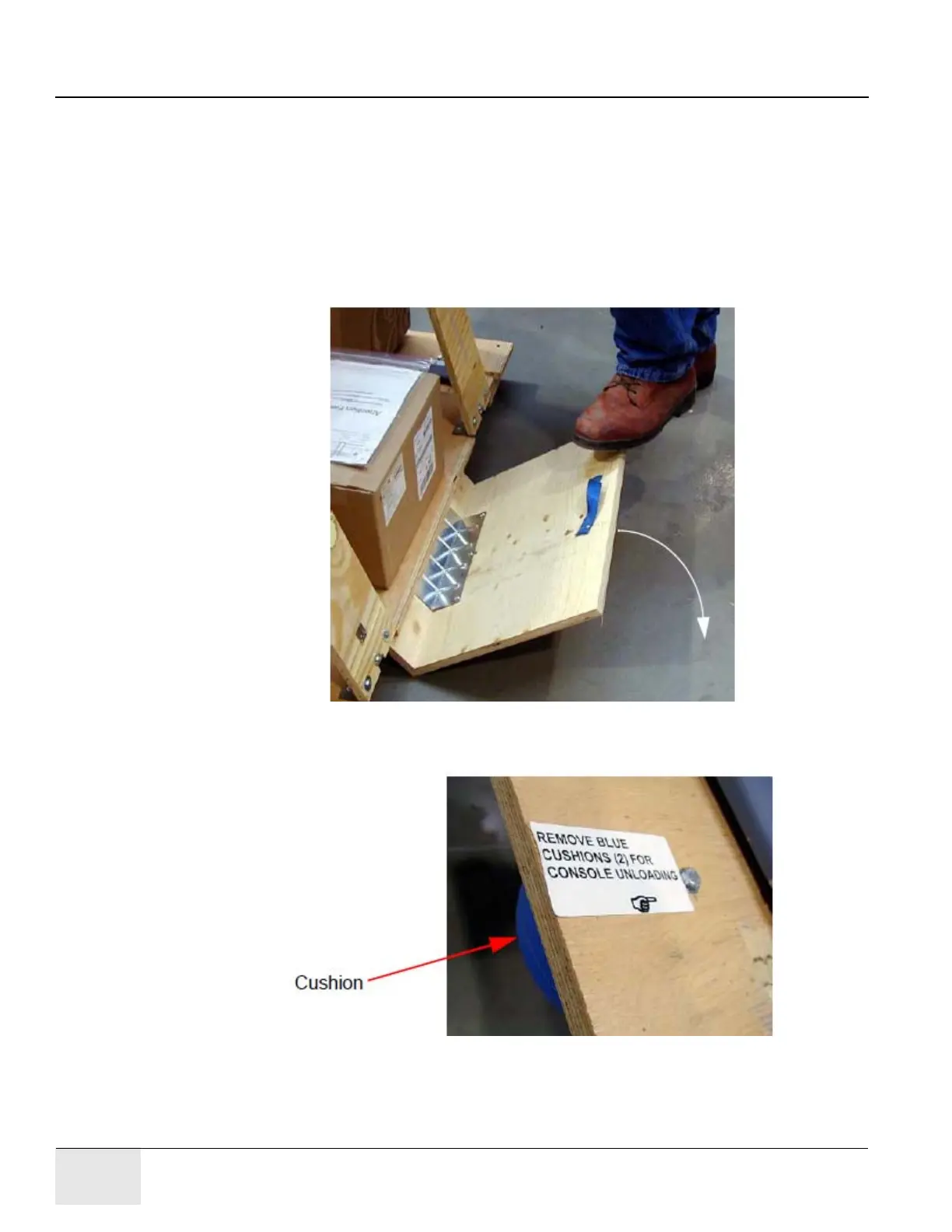
c.) Place the step-board under the front edge of the skid and step on it to raise the front edge
of the skid as in
Figure 2-3 Step-Board Used to Raise Front Edge of Skid
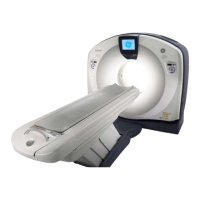
d.) Remove the two front cushions from the bottom of the skid.
Figure 2-4 Cushion on Botton of Skid
e.) Lift up on the strap on the front of the step-board (Figure 2-3) to lower the skid. Remove
the step-board.
f.) Ensure the console stabilizers are in line with thee notched portion at the front of the skid.
This will allow enough clearance to smoothly roll the console down the ramps.





 To Next Page