Revision A Transport Pro 8-9
2012659-042
Disassembly: FRU Replacement
Main Processor PCB Subassembly
1. Remove the back plastic. See “Back Plastic Disassembly” on page 8-4.
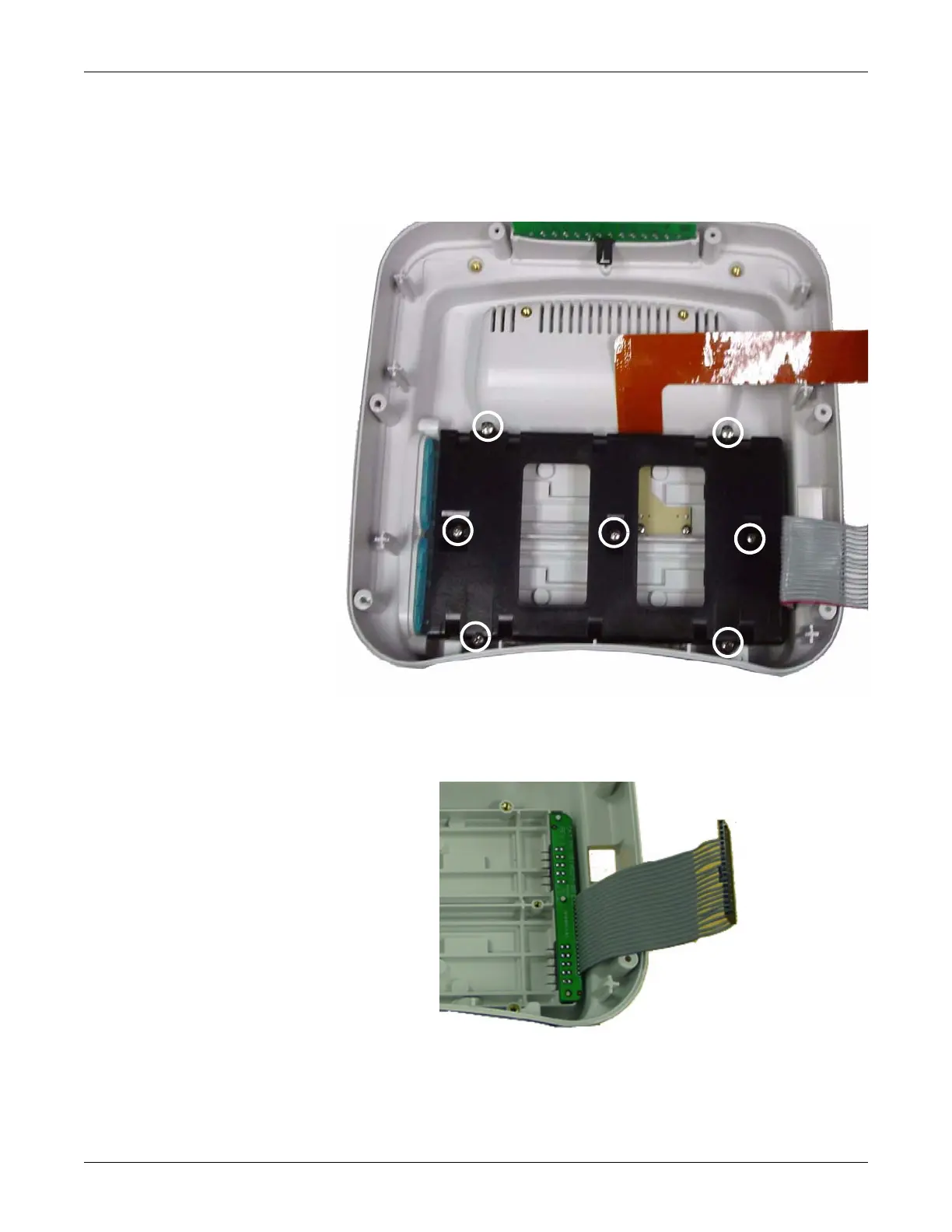
2. Remove the seven screws from the battery housing located in the
back half of the monitor.
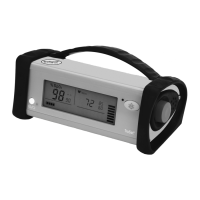
3. Remove the battery harness from the back half of the monitor.
4. Remove the display subassembly. See “Display Subassembly” on
page 8-7.
5. Remove the main processor PCB subassembly. Follow your country
requirements for PCB disposal.
636A
637A


 To Next Page