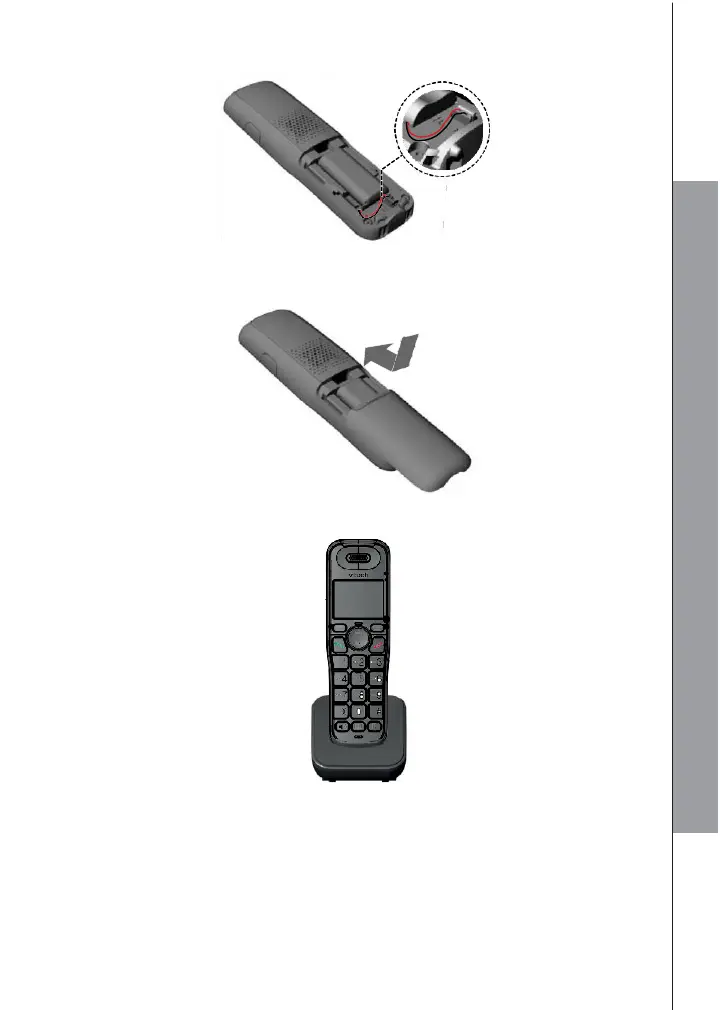
2.4 Install and Charge the Handset Battery
1. Plug the battery connector securely into the socket inside the handset battery
compartment. Insert the supplied battery as indicated.
2. Align the cover flat against the battery compartment, and then slide it upwards
until it clicks into place.
3. Charge the handset by placing it face forward in the charger. You hear a beep
when the handset is charging in the charger.
NOTES
• Use only the supplied NiMH rechargeable battery pack.
• If you do not use the handset for a long time, disconnect and remove the battery
to prevent possible leakage.



 To Next Page