page | 16
Conguring the Digital Signage Player
Connecting to a Network using a Static IP
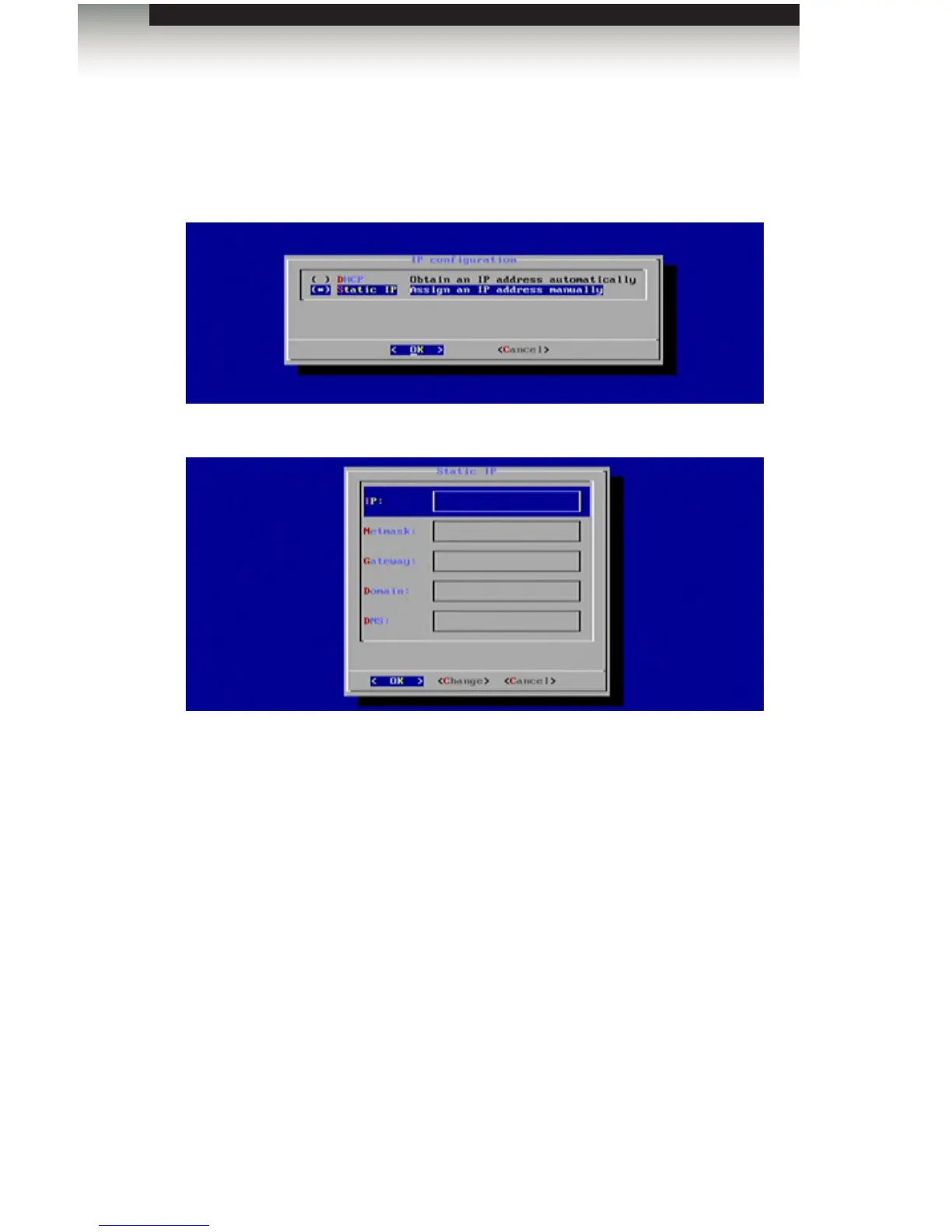
1. Select the Static IP option and press the Spacebar to place an asterisk next to it.
Press the Enter key to continue.
The Static IP dialog will be displayed:
2. Entered the following information in the Static IP dialog:
• IP address
• Netmask
• Gateway address
• Domain
• DNS
3. Enter the required information in each of the elds by selecting the <Change> option
and pressing the Enter key. Once all the information has been entered, highlight OK
and press the Enter key to conrm the changes.
4. Select Done from the Main Menu and select Yes to save the changes.
Operating the Digital Signage Player with Wi-Fi Plus



 To Next Page