page | 73
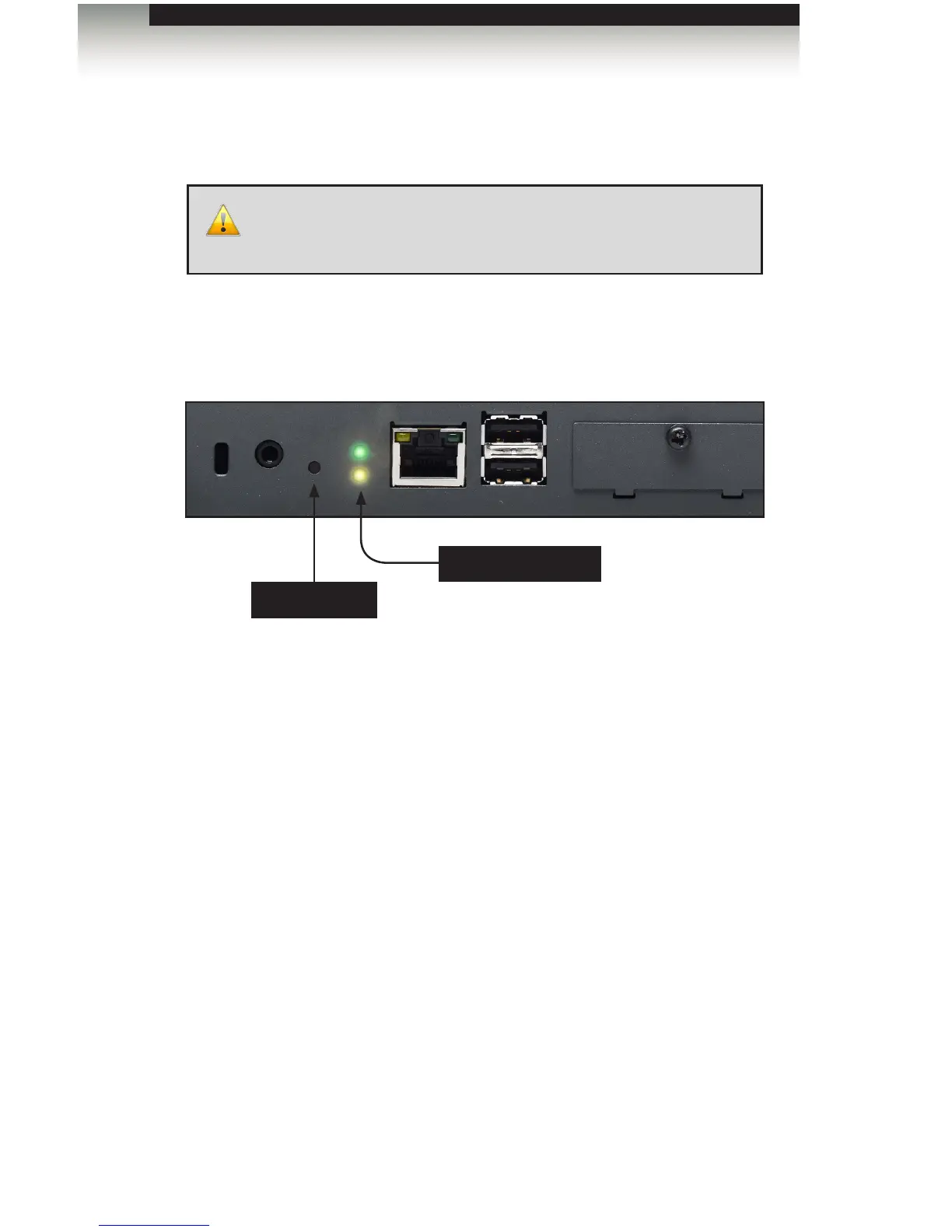
If you forget the Menu System password or need to restore the Digital Signage Player to
the factory settings, the unit will need to be reset.
1. Disconnect power from the Digital Signage Player.
2. Press and hold the Reset button on the front panel with a pin or the end of a paper
clip.
3. While depressing the Reset button, connect the power to the Digital Signage Player.
4. Wait approximately 10 seconds or until the Status LED ashes.
5. Release the Reset button and wait for the Digital Signage Player to reboot.
The reboot process will take approximately 90 seconds.
WARNING: Performing a factory reset on the Digital Signage
Player will erase the password to the Menu System, all network
conguration settings, and delete all content from the Player.
Restoring Factory-Default Settings
Reset button
Status LED (yellow)
Signage Manager Express Software



 To Next Page